Food Hygiene
 Health & Safety
 Safeguarding
 First Aid
 Business Skills
 Personal Development

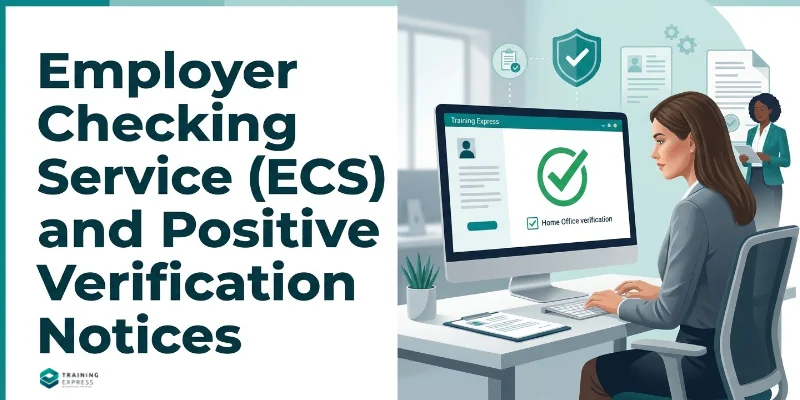

The Employer Checking Service (ECS) is the Home Office service that confirms whether someone can work for you when you can’t check it yourself, online or with documents. It is free to use and aims to reply within five working days. If the answer is yes, you get a Positive Verification Notice, which protects you for six months.
Most employers only need the ECS now and then, usually when a worker is waiting for a Home Office decision. Used at the right time, it keeps you protected. Used as a shortcut, it won’t. This guide explains when to use it, how to make a request and what each outcome means.
Key takeaways
- Only use the Employer Checking Service (ECS) when you cannot check someone's right to work online with a share code or using original documents.
- Common reasons for using the ECS include a pending Home Office application, appeal or review, or a technical problem with the online checking service.
- The ECS aims to respond within five working days, so plan ahead when requesting a check.
- A Positive Verification Notice (PVN) gives you a statutory excuse against a civil penalty for six months from the date shown on the notice.
- A Negative Verification Notice (NVN) means you have no statutory excuse for that person.
What Is the Employer Checking Service?
The Employer Checking Service is a Home Office team that checks a person’s immigration status for an employer. You fill in an online request, the Home Office checks its records, and it sends you a written answer.

It exists because some people can’t prove their right to work in the usual ways. For example, someone may have applied to extend their visa and still be waiting for a decision. They may have no current document, and their online record may not show the pending application.
The ECS is one of the prescribed ways to check right to work. If you use it correctly and get a positive answer, you have a statutory excuse. That’s your legal defence against a civil penalty of up to £60,000 per illegal worker. For an overview of all the check methods, see our guide to right to work checks.
When Should You Use the Employer Checking Service?
According to GOV.UK, you should ask the Home Office to check someone’s right to work if:
- they have an outstanding appeal, review or application with the Home Office
- they arrived in the UK before 1988 and don’t have documents to prove their status or right to work
- they’re having technical issues getting a share code to prove their right to work
- you can’t use a digital service to check their right to work because of a technical issue
You must also use the ECS if the person has an Application Registration Card, or a non-digital Certificate of Application that says you need to ask the Home Office.
When Shouldn't You Use the ECS?
The ECS is a fallback, not a replacement for a normal check. GOV.UK says you only need it if you can’t check someone’s right to work online with a share code or check their original documents.
Don’t use it:
- for British or Irish citizens, who can prove their right to work with a passport or other List A documents
- because the person forgot to bring their documents or hasn’t got round to creating a share code
- to save time when a normal check is possible
- for someone with an eVisa whose online check works normally
If a normal check is possible, do that instead. Our guides to checking a right to work share code and right to work documents explain how.
How to Request an Employer Checking Service Check
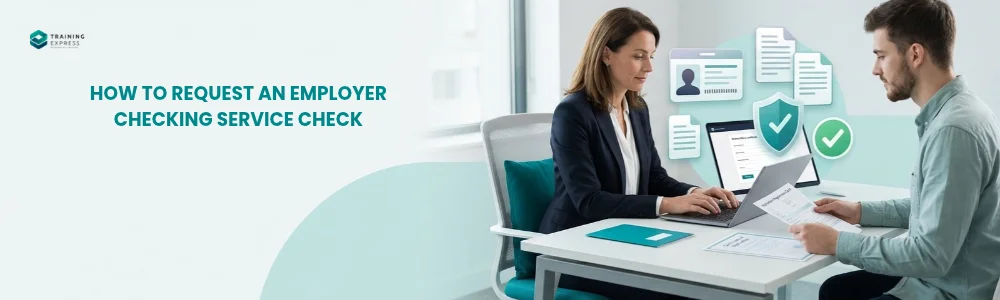
You make the request online through the Home Office Employer Checking Service form. Have this information ready:
- the person’s full name, date of birth and nationality
- their job title and the hours they work, or will work, each week
- their UK home address
- the original Application Registration Card or Certificate of Application, if you’re checking one of those
- your business name, business type and contact details
If the person has a Home Office reference number for their application, ask them for it too, as it helps the Home Office find their record. Tell the person you’re making the request, and why.
Once you submit the form, save the confirmation email. It is part of your record of the check.
How Long Does an ECS Check Take?
The Employer Checking Service aims to reply within five working days of receiving a valid request. Requests with missing or wrong details can take longer.
For a new starter, this matters. The person can’t start work until you have a positive answer. If you think you’ll need the ECS, send the request as early as you can and agree a start date that allows for the wait.
What Is a Positive Verification Notice?
A Positive Verification Notice (PVN) is written confirmation from the Employer Checking Service that the person is allowed to do the work in question. It may also set out conditions, such as limits on hours.
A PVN gives you a statutory excuse for six months from the date on the notice. That means:
- keep the PVN with the person’s right to work record
- note the date six months from the date on the notice
- do a follow-up check before that date
In the Home Office lists, a PVN is a List B Group 2 document. It can stand on its own or come with documents such as an Application Registration Card. If the Home Office has decided their case before the six months are up, they may be able to give you a share code for a normal online check instead.
What If You Get a Negative Verification Notice?
A Negative Verification Notice (NVN) means the Home Office has not confirmed that the person can do the work. You won’t have a statutory excuse for them.
What to do depends on whether the person already works for you:
- New starter: don’t let them start work. If you’ve made a conditional offer, you can withdraw it because the right to work condition isn’t met.
- Existing employee: act quickly but fairly. Talk to the person, check whether there’s been a mistake, and take HR or legal advice. If it’s confirmed they can’t work, you must stop employing them. Follow a fair process, because a rushed dismissal can lead to an unfair dismissal or discrimination claim.
An NVN also ends the 28-day grace period described below.
Existing Employees: The 28-Day Grace Period

Sometimes an existing employee’s permission runs out while they’re waiting for a Home Office decision. The Home Office guide allows a short grace period for this.
If, on the date their permission expires, you reasonably believe the employee has a pending application, appeal or administrative review, your statutory excuse continues for up to 28 calendar days. That gives you time to get a PVN or complete an online check. The same applies to long-term residents who arrived before 1988 and don’t have acceptable documents.
The grace period ends early if you receive a Negative Verification Notice. Use those 28 days to make your ECS request, not to wait and see.
Why the Grace Period Doesn't Apply to New Starters
The 28-day grace period only covers follow-up checks for people you already employ. It does not apply to checks before employment starts. A new starter needs a valid check, such as a PVN, before their first day.
Section 3C Leave
You may hear the term “section 3C leave” when someone is waiting for a decision. It refers to section 3C of the Immigration Act 1971.
If someone applies to extend their permission before it runs out, their existing permission continues on the same conditions while the Home Office decides. That usually includes their right to work. It also continues during an appeal or administrative review in some cases.
You don’t have to work out section 3C rules yourself. Your job is to get confirmation through an online check or the ECS, and keep the record.
ECS or Online Check: Which Should You Try First?
For anyone with an eVisa, always try the online share code check first. If the online check confirms the person can do the work, including where it shows a pending application, you don’t need the ECS.
Only move to the ECS if the online check can’t confirm the right to work, the person can’t get a share code because of a technical problem, or they hold a document that tells you to contact the Home Office.
Common Employer Checking Service Mistakes
- Using the ECS when a normal check is possible. It doesn’t replace a share code or document check.
- Letting a new starter begin while you wait. The person can’t start until you have a Positive Verification Notice.
- Leaving it too late for existing staff. Track expiry dates and ask about extension plans well before permission runs out.
- Sending incomplete details. Missing information slows the reply.
- Ignoring conditions on the notice. A PVN may limit hours or the type of work.
- Forgetting the six-month follow-up. Your protection ends six months after the date on the PVN.
What Records Should You Keep?
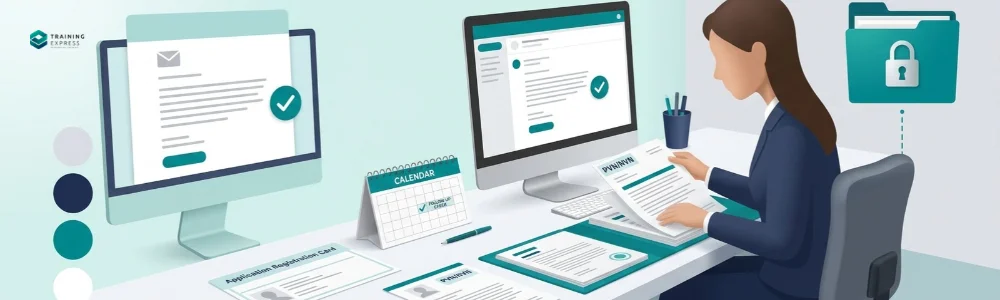
Keep a complete record of every ECS check, including:
- why you used the ECS instead of a normal check
- the confirmation email from your request
- the PVN or NVN you received
- copies of any documents you checked, such as an Application Registration Card
- the date of the next follow-up check
Keep these records for as long as the person works for you, plus two years after they leave. They contain personal data, so store them securely in line with UK GDPR.
Worked Example: Using the ECS for a Visa Extension
Priya works as a chef in a restaurant. Her visa allows her to work until 30 November. On 10 November she applies to extend it, and sends her manager proof of the application.
- Before 30 November: the manager asks Priya for a new share code. The online check doesn’t yet show the pending application.
- On 30 November: Priya’s permission expires. Because the manager reasonably believes she has a pending application, the statutory excuse continues for up to 28 days.
- On 1 December: the manager submits an ECS request with Priya’s details, job title, hours and application reference.
- On 6 December: the ECS issues a Positive Verification Notice dated 6 December.
- Next steps: the manager saves the PVN and sets a reminder for a follow-up check before 6 June, six months from the notice date.
Priya keeps working throughout, and the restaurant stays protected at every stage.
Train Your Team to Handle Difficult Right to Work Cases
The ECS is where right to work checks get tricky, especially for existing staff. Training Express’s UK Employment Law course covers employers’ legal duties, and the HR Management course covers fair processes for managing staff. For the full picture, read our guide to right to work checks.
Frequently Asked Questions (FAQs)
Is the Employer Checking Service free?
Yes. There is no charge to use the Employer Checking Service or to receive a Positive Verification Notice
How long does a Positive Verification Notice last?
A Positive Verification Notice gives you a statutory excuse for six months from the date on the notice. You must do a follow-up check before the six months end.
Can I use the ECS for a British citizen?
No. British and Irish citizens can prove their right to work with a passport or other List A documents, or through a registered digital provider. The ECS is for people whose immigration status needs confirming.
Can a new starter begin work while I wait for the ECS?
No. A new starter can’t begin work until you have a valid check, such as a Positive Verification Notice. The 28-day grace period only applies to existing employees.
What if the ECS doesn't reply within five working days?
Five working days is a target, not a guarantee. For new starters, delay the start date. For existing staff, use the 28-day grace period if it applies, and check that your request had complete details.
Do I need the employee's permission to use the ECS?
GOV.UK doesn’t ask for formal consent on the request, but you’ll need details only the person can give you. It’s good practice to tell them you’re making the check and why.
Do I need to check agency workers?
Usually not. If an employment business (agency) supplies workers to you, the agency is normally responsible for their right to work checks. Ask the agency to confirm in writing that it has done them.
What is a Positive Verification Notice?
A Positive Verification Notice is written confirmation from the Employer Checking Service that a person can do the work. It gives you a statutory excuse for six months from the date on the notice, so you must do a follow-up check before then.
Do right to work checks apply to self-employed contractors?
Sometimes. Since 1 October 2026, checks can apply to individual subcontractors and people found through online matching platforms. People running a genuinely independent business, in their own name or through their own company, are generally out of scope. Check the Home Office guide’s examples for your situation.
What happens if an existing employee fails a check?
Don’t act in a hurry. If they’ve applied to extend their permission, contact the Employer Checking Service first. If it’s confirmed they have no right to work, you must stop employing them. Follow a fair process and get legal advice, as dismissing someone wrongly can lead to an unfair dismissal or discrimination claim.

Robert Lawrence
Author | Specialises in E-Learning.
Robert Lawrence is an author at Training Express, with over 5 years of experience creating practical resources and strategies to support learners and enhance their professional & personal development.
Reviewed by: Aftab Ansari, Human Resource Specialist at Training Express