Food Hygiene
 Health & Safety
 Safeguarding
 First Aid
 Business Skills
 Personal Development



Google sends a lot of Tesco colleagues to the wrong login page. When I checked what ranks in the UK for “tesco work and pay”, two of the top four results were customer pages on tesco.com. Those are the logins for Clubcard and grocery orders. Type your colleague details in there and nothing happens. It’s not you.
Your payslips, P60 and pay history now sit in the My Tesco colleague app and on the OurTesco website (ourtesco.com), usually under Documents → Pay. “Work & Pay” is the old name, and the old system, for that same self-service area.
This guide covers how to sign in, every 2026 payday, why overtime goes missing, and what to do when the money in your bank doesn’t match the hours you worked.
Table of Contents
Work & Pay in 2026: where your payslips actually went
Work & Pay was Tesco’s old payroll self-service tool. Colleagues used it for payslips, holiday and some shift admin. Over the last couple of years Tesco moved those jobs into the My Tesco app and the OurTesco portal. That’s why so many r/tesco threads ask some version of “anyone else’s Work & Pay not working?”. The payslips weren’t deleted. They moved.
Here’s where everything lives now:
- Payslips and P60s. My Tesco app or ourtesco.com, under Documents → Pay.
- Holiday, skills requests and personal details. The My Tesco app. Its App Store listing describes it as an app for colleagues to book holiday, request new skills and manage personal details.
- Login and pay-query help. Tesco’s Colleague Help site (colleague-help.ourtesco.com), or your store admin.
- Pension. The Tesco Retirement Savings Plan, run with Legal & General, which has its own member site.
- Republic of Ireland colleagues. A separate portal, tescoirelandpayslips.com.
- Payslipview.com. A legacy route. Treat it as retired unless your store tells you otherwise.
One honest caveat: menu labels differ by role and business unit. Store, fulfilment centre and office colleagues don’t always see identical screens. If yours looks different, follow what your signed-in account shows you, not a screenshot from a random website (this one included).
How to sign in and find your payslip
There are two ways in: the OurTesco website in any browser, or the My Tesco colleague app on your phone. Both use the same colleague login and show the same payslips, so pick whichever’s handier. If you’ve never signed in before, start with the browser steps. If you want payslips in your pocket, jump to the app setup below.
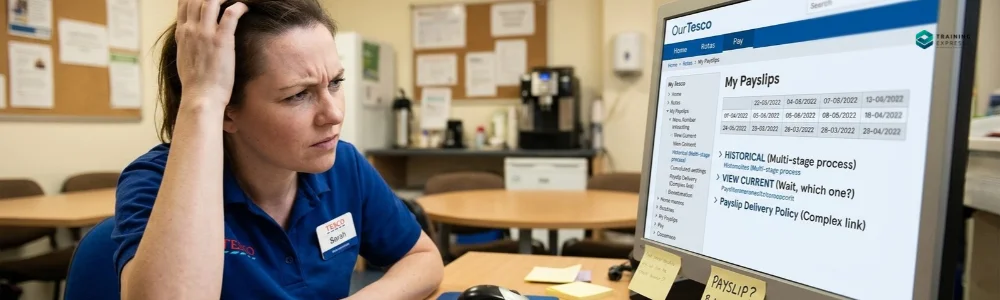
In a browser (phone, laptop, store computer)
- Type ourtesco.com yourself. Don’t click an advert or a “Tesco payslip login” site. There are dozens of unofficial ones, and some of them rank better than Tesco does.
- Choose the colleague sign-in. Ignore anything asking for a Clubcard number.
- Enter your colleague credentials. That’s usually your Tesco colleague email or the ID your store set up.
- Complete any verification code sent to your phone.
- Open Documents → Pay. Some accounts show a Pay, Payslips or Work & Pay tile instead.
- Pick the pay date, open the PDF and download it. On a shared store computer, sign out before you walk away.
In the My Tesco colleague app (first-time setup)
The app is worth setting up before you urgently need a payslip, not at 11pm the night before a flat viewing.
- Search “My Tesco” in the App Store or Google Play and check that the publisher is Tesco. The iPhone version needs iOS 15.1 or later.
- Make sure it’s the colleague app, not the grocery app. If it asks for a Clubcard number, it’s the wrong app.
- Tap Register if you’ve never signed in. Colleague guides report that you’ll need your colleague number (on your contract) and your date of birth.
- Set a strong password and add a mobile number for verification codes. Use your personal number, because it’s the one you won’t lose.
- Go to Menu → Documents → Pay.
- Turn on Face ID or fingerprint login. It saves you about 40 logins a year.
New starter? Your record can take a few days to go live in Tesco’s systems, so registration errors in week one are common. Your first payslip may also be issued at your store rather than appearing in the app. Ask your admin on payday.
Tesco pay dates 2026 (and why you get 13 paydays)
Tesco pays hourly colleagues every four weeks, on a Friday. Four-weekly pay means 13 paydays a year, not 12. That catches people out, because rent and phone bills arrive monthly.
I worked out these dates by rolling Tesco’s 2025 cycle (3 January to 5 December) forward 28 days at a time:
| # | 2026 Payday |
|---|---|
| 1 | Friday 2 January |
| 2 | Friday 30 January |
| 3 | Friday 27 February |
| 4 | Friday 27 March |
| 5 | Friday 24 April |
| 6 | Friday 22 May |
| 7 | Friday 19 June |
| 8 | Friday 17 July |
| 9 | Friday 14 August |
| 10 | Friday 11 September |
| 11 | Friday 9 October |
| 12 | Friday 6 November |
| 13 | Friday 4 December |
The next date in the cycle is Friday 1 January 2027, which is a bank holiday, so expect it to move. Confirm it with your store rather than trusting any website, this one included.
Two money tips that ride on this calendar:
- January 2026 had two paydays. That’s your “13th payday”. Budget it as a buffer, not a bonus.
- Your Colleague Clubcard discount goes up on payday weekend. It’s normally 10%, rising to 15% after payday. You get the card after three months’ service. Plan the big shop accordingly.
Tesco also runs an earned-pay access scheme. You can apply online for a set percentage of pay you’ve already earned, and it arrives within 24 hours. It’s useful in a genuine emergency. Using it routinely just shrinks your next payslip.
Reading your payslip without a calculator meltdown
Start with the rate. From 29 March 2026, Tesco’s hourly rate for store and online fulfilment colleagues is £13.28, rising to £14.55 inside the M25 thanks to a £1.27 London allowance.
The lines you'll see most often
- Basic or contracted hours. Your contract hours × your rate. This is your floor.
- Overtime or additional hours. Hours above your contract, on a separate line.
- Premiums and allowances. Night premiums, location allowance and any skills payments each get their own line.
- Pension. If you’re in the Retirement Savings Plan, you choose to save from 4% of pensionable pay, and Tesco matches you up to 7.5%. If you’re on 4% and can afford more, that matching is the best return you’ll ever get from Tesco.
- Tax code. 1257L is the standard code for most people. New starters often land on an emergency code (it ends in W1, M1 or X) until HMRC catches up. Only HMRC can change your code; Tesco’s payroll just applies it.
- National Insurance and student loan. These are calculated per pay period, so a big overtime period means bigger deductions.
- Corrections. These are adjustments for earlier pay periods, and they can be plus or minus. Never ignore a negative one you don’t understand.
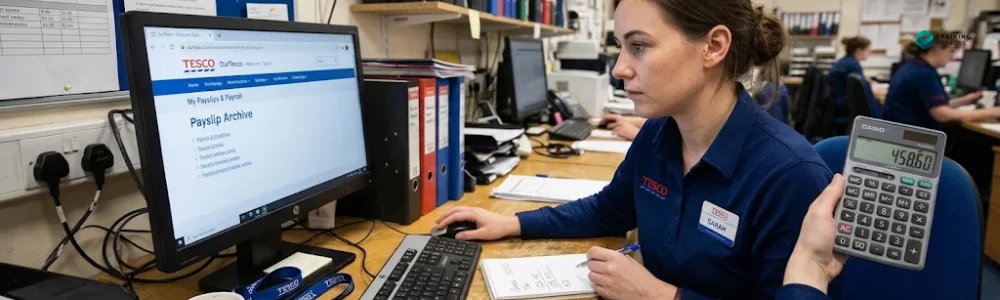
The overtime cut-off: the number-one complaint
Contracted hours are paid right up to around payday, but overtime has an earlier cut-off, roughly the end of the week before payday. Colleague sources disagree on the exact day: some say the Thursday, some say the Saturday. So ask your store admin once and write it down.
Overtime worked after the cut-off isn’t lost. It’s just paid four weeks later. That one rule explains most “where’s my overtime?!” posts.
A 60-second sanity check
Here’s an example for someone on 20 contracted hours a week who picks up 6 hours of overtime in a 4-week period:
- Contracted: 80 hours × £13.28 = £1,062.40
- Overtime: 6 hours × £13.28 = £79.68
- Expected gross pay: £1,142.08, before any premiums
Compare that with the gross pay line, not the take-home figure. Then check each deduction. Gross minus deductions should equal net pay to the penny. If the gross is wrong, that’s a Tesco query. If the tax looks wrong, that’s usually an HMRC conversation.
One thing that looks like an error but usually isn’t: unpaid break time is deducted from paid hours. If your paid hours are always a little under your scheduled hours, ask your admin which break rule applies to your shift length before assuming you’ve been short-changed.
Can't log in or payslip missing? Fix it in this order
| Problem | Likely Cause | Fix |
|---|---|---|
| Your details "don't work" | You're on the customer tesco.com login | Go to ourtesco.com or the My Tesco colleague app. |
| Forgotten password | It happens | Use the reset link on the official sign-in page only. |
| No verification code | Changed phone number | Ask your store admin to update your number. |
| Account locked | Too many attempts | Wait, then reset. Don't keep hammering it. |
| Registration error in week one | Your record isn't active yet | Ask your admin to check your record, then try again in a few days. |
| App won't install | Your phone's OS is too old | Update the phone, or use ourtesco.com in a browser. |
| Payslip missing after payday | Not yet processed, or a stale app | Log out and in, check the browser version, then tell your admin. |
If none of that works, go to Colleague Help or your line manager. Never send your password, a verification code or your full National Insurance number by text or ordinary email. Not to a “Tesco support” account on social media, either.
Your pay is wrong: how to raise a query that gets fixed
The colleagues who get pay errors fixed quickly are the ones who turn up with evidence. Here’s the order that works:
- Rule out the overtime cut-off first. Was the missing shift after it? Then it’s due next payday.
- Gather proof. Your rota, clock-in times, the payslip PDF, and the exact line you think is wrong.
- Do the maths on paper: hours × rate, plus premiums, compared against gross. “It feels low” gets nowhere. “I’m 6 hours of overtime short for the week of 14 October” gets fixed.
- Raise a formal pay query with your store admin or wages clerk, in writing, not just in a chat by the tills.
- Escalate through Colleague Help if your store can’t resolve it.
- Talk to your Usdaw rep. Usdaw negotiates pay for Tesco’s hourly colleagues and deals with this every week.
- Know the deadline. If money is genuinely being withheld, a legal claim for unlawful deduction from wages has a strict time limit of three months less one day from the deduction. You have to start Acas Early Conciliation (0300 123 1100) within that window. Don’t let a query drift for months.
For tax code problems, contact HMRC directly on 0300 200 3300. And remember the baseline: by law, every UK employee is entitled to an itemised payslip on or before payday, showing gross pay, deductions and net pay.
P60s, leaving Tesco, proof of income and other edge cases
- P60. Employers must issue it by 31 May each year if you were on the payroll on 5 April. Look in Documents → Pay. Download it straight away, because mortgage lenders and benefit claims ask for it.
- Leaving Tesco. Download every payslip and P60 before your last day, because colleague access ends when you go. You’ll get a P45. Colleague guides report that the final payslip is posted to your home address, so make sure it’s current.
- Proof of income for a landlord or mortgage. Send the PDF, not a screenshot. It’s the official document.
- Employment references and verification for former colleagues. Tesco’s careers support says to email [email protected].
- Republic of Ireland. Payslips go through tescoirelandpayslips.com, a separate system that needs an activation code. Your store admin or Colleague Help can supply it.
- Payslipview.com and “activation code” websites. Most Payslipview pages ranking today are unofficial. Never type your employee number, date of birth or NI number into a site you reached from a search advert or a random link.
- Other Tesco services. Tesco Bank, Tesco Mobile, Clubcard and Pay+ logins have nothing to do with your wages. Same brand, completely different accounts.
What to do now
Three things, in this order:
- Set up the My Tesco app today, while nothing’s urgent.
- Put the remaining 2026 paydays in your phone calendar. There’s one left: 4 December. Also note your store’s overtime cut-off day.
- After every payday, download the payslip PDF to a private folder you control.
That last one matters most. Tesco has already changed payroll systems once on its colleagues, and payslips “vanished” for months. Treat Tesco’s portal as a viewer, not an archive. Your own folder is the archive.
Got a pay question this guide didn’t answer? Leave it in the comments and we’ll add it to the next update.
Frequently Asked Questions (FAQ)
How do I access Tesco Work and Pay?
Work & Pay has been replaced by the My Tesco colleague app and the OurTesco website. Go to ourtesco.com (type it yourself) or open the My Tesco app, sign in with your colleague credentials, then open Documents → Pay to see payslips and your P60. Menu names can vary by role. If you can’t sign in, use the official reset option or Colleague Help, or ask your store admin.
When are Tesco pay dates in 2026?
Tesco pays hourly colleagues every four weeks on a Friday, which gives 13 paydays a year. The 2026 dates are 2 Jan, 30 Jan, 27 Feb, 27 Mar, 24 Apr, 22 May, 19 Jun, 17 Jul, 14 Aug, 11 Sep, 9 Oct, 6 Nov and 4 Dec. The next one would land on 1 January 2027, a bank holiday, so confirm that date with your store.
Why is my overtime not on my Tesco payslip?
Overtime has an earlier payroll cut-off than contracted hours, roughly the end of the week before payday. Any extra shifts worked after that cut-off are paid on the next payslip, four weeks later. Ask your store admin for your exact cut-off day. If overtime worked before the cut-off is missing, raise a pay query.
How do I get my Tesco payslips after leaving?
Download every payslip and your P60 before your last day, because colleague access usually ends when you leave. Your P45 comes from Tesco when your employment ends. If you’ve already left and need copies, contact the HR or payroll route in your leaving documents. For employment references or verification, former colleagues can email [email protected].
Is Tesco Payslipview still used?
Payslipview.com is a legacy route that UK colleagues increasingly report no longer works. The My Tesco app and ourtesco.com are the current places for UK payslips. Don’t register through unofficial “Payslipview activation code” websites. Colleagues in the Republic of Ireland use a separate payslip portal, tescoirelandpayslips.com.
What are the main types of policies in health and social care?
Common policies cover safeguarding, medicines, infection prevention and control, health and safety, confidentiality and data protection, equality and diversity, complaints and whistleblowing. See our full list of policies and procedures in health and social care.

Robert Lawrence
Author | Specialises in E-Learning
Robert Lawrence is an author at Training Express, with over 5 years of experience creating practical resources and strategies to support learners and enhance their professional & personal development.