Food Hygiene
 Health & Safety
 Safeguarding
 First Aid
 Business Skills
 Personal Development

Course Curriculum
| Software Installation | |||
| Different Categories of SketchUp | 00:03:00 | ||
| Setting up the trial version | 00:03:00 | ||
| SketchUp Installation | 00:01:00 | ||
| Getting Familiar with the SketchUp Interface | |||
| Different templates and units | 00:02:00 | ||
| Tool palettes | 00:02:00 | ||
| Learning the Basics | |||
| Axis and Standard views in SketchUp | 00:02:00 | ||
| Line Tool | 00:03:00 | ||
| Rectangle Tool | 00:04:00 | ||
| Push Pull, Orbit and Pan Tool | 00:02:00 | ||
| Tape Measure Tool | 00:02:00 | ||
| Move Tool | 00:02:00 | ||
| Divide and Flip along | 00:02:00 | ||
| Operations on Inclined Planes | 00:02:00 | ||
| Offset Tool and Copying Objects | 00:02:00 | ||
| Selection and Scaling of Objects | 00:03:00 | ||
| Saving and Importing a file into SketchUp | 00:02:00 | ||
| Freehand drawing in SketchUp | 00:01:00 | ||
| Protractor tool and dimensions | 00:01:00 | ||
| Textbox tool | 00:01:00 | ||
| Some functions of the move tool | 00:01:00 | ||
| Project 1: Making a Simple 3D model of a house (Exterior Only) | |||
| Making a simple house model | 00:02:00 | ||
| Making Gable Roof Window | 00:02:00 | ||
| Making windows and chimney | 00:03:00 | ||
| Making the door and steps | 00:02:00 | ||
| Different Shapes & Paint Bucket | |||
| Polygons and Circles | 00:02:00 | ||
| Arcs | 00:02:00 | ||
| Paint tool: Part 1 | 00:02:00 | ||
| Paint tool: Part 2 | 00:02:00 | ||
| Getting comfortable with curves | |||
| Follow me tool | 00:01:00 | ||
| Making a sphere using circle and follow me tool | 00:01:00 | ||
| Some uses of follow me and scale tools | 00:02:00 | ||
| More uses of follow me and Rotate tool | 00:05:00 | ||
| Face Style and Edge Style | 00:03:00 | ||
| Functions of Solid Tool | 00:04:00 | ||
| Project 2: Furniture and Fixtures | |||
| Making a bed: Part 1 | 00:03:00 | ||
| Making a bed: Part 2 | 00:01:00 | ||
| Making a bed: Part 3 | 00:02:00 | ||
| Making a bed: Part 4 | 00:01:00 | ||
| Making a bed: Part 5 | 00:01:00 | ||
| Making drawers | 00:03:00 | ||
| Making simple lamp models | 00:02:00 | ||
| 3D Modelling | |||
| Importing a CAD file into SketchUp | 00:03:00 | ||
| Ground Floor Slab | 00:02:00 | ||
| Making walls | 00:02:00 | ||
| Making door openings | 00:02:00 | ||
| Making Window Openings | 00:02:00 | ||
| Components in SketchUp | |||
| Door component: Part 1 | 00:02:00 | ||
| Door component: Part 2 | 00:02:00 | ||
| Door component: Part 3 | 00:04:00 | ||
| Window component: Part 1 | 00:02:00 | ||
| Window component: Part 2 | 00:02:00 | ||
| Saving the components | 00:01:00 | ||
| 3D Warehouse in SketchUp | |||
| Placing the door components | 00:04:00 | ||
| 3D Warehouse | 00:03:00 | ||
| Completing door placement | 00:03:00 | ||
| Window Placement | 00:01:00 | ||
| Reviewing the model | 00:02:00 | ||
| Staircase and Handrail | |||
| Making a staircase | 00:04:00 | ||
| Making handrail outline | 00:02:00 | ||
| Using follow me tool to create handrail and balusters | 00:02:00 | ||
| Completing the Handrail | 00:01:00 | ||
| Joining the handrail | 00:04:00 | ||
| Winders in staircase | 00:04:00 | ||
| First Floor Slab3 lectures | |||
| 1F slab | 00:02:00 | ||
| Applying Material | 00:03:00 | ||
| Editing the 1F slab | 00:03:00 | ||
| Completing the House Model | |||
| Importing 3d model of 1st floor | 00:02:00 | ||
| Making Terrace | 00:02:00 | ||
| Making a gable roof | 00:03:00 | ||
| Making Boundary wall | 00:02:00 | ||
| Applying material on boundary wall | 00:01:00 | ||
| Spiral Stairs | |||
| Making a spiral: Part 1 | 00:04:00 | ||
| Making a spiral: Part 2 | 00:02:00 | ||
| Making a spiral: Part 3 | 00:02:00 | ||
| Finishing Touch | |||
| Lawn and garage floor | 00:02:00 | ||
| Finishing Floor | 00:02:00 | ||
| Finishing the model | 00:02:00 | ||
| Section plane uses | 00:01:00 | ||
| Interiors | |||
| Interior details | 00:02:00 | ||
| Drawing Room: Part 1 | 00:04:00 | ||
| Drawing Room: Part 2 | 00:04:00 | ||
| Lounge: Part 1 | 00:02:00 | ||
| Lounge: Part 2 | 00:02:00 | ||
| Reviewing the model | 00:02:00 | ||
| Kitchen: Part 1 | 00:02:00 | ||
| Kitchen: Part 2 | 00:03:00 | ||
| Kitchen: Part 3 | 00:05:00 | ||
| Scenes and Extensions in SketchUp | |||
| Camera Settings | 00:04:00 | ||
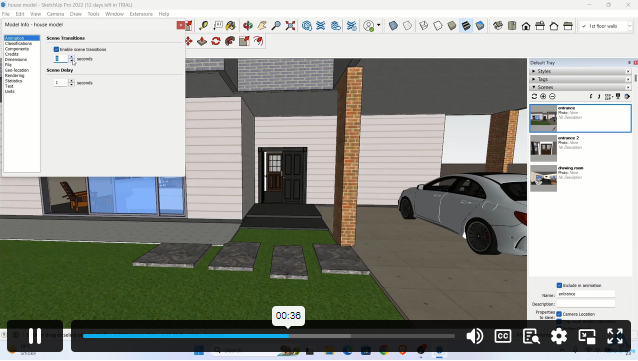
| Scenes in SketchUp | 00:03:00 | ||
| Creating an Animation | 00:01:00 | ||
| Extension Warehouse | 00:02:00 | ||
£20
ex Vat
TAKE THIS COURSE
SAVE 84% - OFFER ENDS SOON
- Original price was: £125.00.£20.00Current price is: £20.00. ex Vat
- 1 year
- Intermediate
- Course Certificate
- 3 hours, 30 minutes Gift this course
Buying more than one of the same courses?
- 50% discount for orders of 10+ courses
- 60% discount for orders of 50+ courses
- 70% discount for orders of 100+ courses
Looking for a more personalised package?
contact us nowInstructors

10 STUDENTS ENROLLED