Produce Engaging Whiteboard Animations in VideoScribe

4.9 (18 REVIEWS)
6 STUDENTS

GET THIS COURSE AND 2500+ OTHERS FOR ONLY £49 FIND OUT MORE

Creating whiteboard animations is no longer reserved for design experts or animation pros. With VideoScribe, anyone with a story to tell or a point to make can bring their message to life in a visually engaging way. This course takes you through every twist, turn, and timeline on your journey to producing professional-quality whiteboard videos, using a platform that’s as friendly as it is powerful. Whether you’re explaining a concept, pitching an idea, or making content for clients, you’ll discover how to do it all without any fuss.

From adding snappy text and slick images to syncing soundtracks and crafting smooth transitions, you’ll learn how to make animations that people will actually watch—right to the end. With modules covering everything from the basics to advanced tips, this course is designed to help you create clear, stylish content that doesn’t just tell, but shows. If your message matters, it’s worth animating properly.

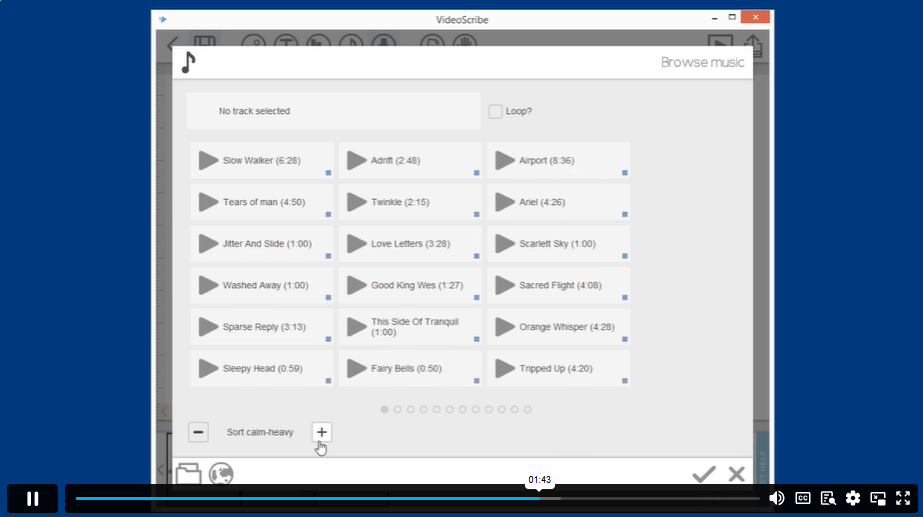
Sneak Peek

Learning Outcomes

  • Create whiteboard animations using VideoScribe from start to finish
  • Customise image and text elements for visual clarity and style
  • Sync voiceovers and background music with animation scenes
  • Apply camera techniques to enhance viewer engagement and flow
  • Organise projects and media files efficiently within the software
  • Use advanced tools like morphing, filters, and SVG editing features

Who is this Course For

  • Marketers wanting to create explainer videos with strong visuals
  • Educators creating animated lessons for online or hybrid learning
  • Freelancers producing content for clients across various industries
  • YouTubers aiming to level up their video content and visuals
  • Social media managers who need scroll-stopping animations
  • Content creators looking to add animated storytelling to their toolkit
  • Professionals sharing presentations in a more visual format
  • Entrepreneurs introducing products or services with style and clarity

Certification

Once you’ve successfully completed your course, you will immediately be sent a digital certificate. Also, you can have your printed certificate delivered by post (shipping cost £5.99). All of our courses are fully accredited, providing you with up-to-date skills and knowledge and helping you to become more competent and effective in your chosen field. Our certifications have no expiry dates, although we do recommend that you renew them every 12 months.

Accreditation

All of our courses, including this Produce Engaging Whiteboard Animations in VideoScribe, are fully accredited, providing you with up-to-date skills and knowledge and helping you to become more competent and effective in your chosen field.

Career Path

  • Video Content Creator – £27,000 average salary
  • Digital Animator – £32,000 average salary
  • Motion Graphics Designer – £36,000 average salary
  • Multimedia Designer – £30,000 average salary
  • E-learning Developer – £34,000 average salary
  • Creative Marketing Executive – £29,000 average salary

Course Curriculum

The detailed curriculum outline of our Produce Engaging Whiteboard Animations in VideoScribe is as follows:

  •  Module 01: Promo 
  •  Module 02: What is VideoScribe 
  •  Module 03: Logging in 
  •  Module 04: Setting up 
  •  Module 05: Create a Scribe 
  •  Module 06: Adding Images 
  •  Module 07: Changing Image Properties 
  •  Module 08: Adding Text 
  •  Module 09: Changing Text Properties 
  •  Module 10: Preview, Save & Render 
  •  Module 11: Adding Music & Voice Over 
  •  Module 12: Camera Positioning 
  •  Module 13: Importing an Image from a File 
  •  Module 14: Timing 
  •  Module 15: Adding a GIF 
  •  Module 16: Advanced Image Properties 
  •  Module 17: Image & Text Filter Effects 
  •  Module 18: Move in an element 
  •  Module 19: Erasing 
  •  Module 20: Changing Hands & Backgrounds 
  •  Module 21: Morphing 
  •  Module 22: Final Preview 
  •  Module 23: Importing & Syncing a pre-recorded voice over 
  •  Module 24: Create & Edit SVGs in Illustrator 
  •  Module 25: Making a GIF 
  •  Module 26: Add a Chart 
  •  Module 27: Troubleshooting & Contacting Support 
  •  Module 28: Valuable Resources 
  •  Module 29: Design Advice 
  •  Module 30: Adding Backgrounds to Slides 
  •  Module 31: Project & Image File Organization 
  •  Module 32: VideoScribe 3.0 
  •  Module 33: VideoScribe for browser 
  •  Module 34: Adding Elements & previewing 
  •  Module 35: Scenes & transitions 
  •  Module 36: Advanced timeline 
  •  Module 37: Sharing & Downloading your video 
  •  Module 38: Assignment – PracticeActivity

Course Curriculum

Produce Engaging Whiteboard Animations in VideoScribe
Module 01: Promo 00:01:00
Module 02: What is VideoScribe 00:01:00
Module 03: Logging in 00:01:00
Module 04: Setting up 00:02:00
Module 05: Create a Scribe 00:01:00
Module 06: Adding Images 00:02:00
Module 07: Changing Image Properties 00:01:00
Module 08: Adding Text 00:01:00
Module 09: Changing Text Properties 00:02:00
Module 10: Preview, Save & Render 00:04:00
Module 11: Adding Music & Voice Over 00:03:00
Module 12: Camera Positioning 00:01:00
Module 13: Importing an Image from a File 00:01:00
Module 14: Timing 00:01:00
Module 15: Adding a GIF 00:01:00
Module 16: Advanced Image Properties 00:02:00
Module 17: Image & Text Filter Effects 00:02:00
Module 18: Move in an element 00:02:00
Module 19: Erasing 00:01:00
Module 20: Changing Hands & Backgrounds 00:02:00
Module 21: Morphing 00:03:00
Module 22: Final Preview 00:01:00
Module 23: Importing & Syncing a pre-recorded voice over 00:02:00
Module 24: Create & Edit SVGs in Illustrator 00:02:00
Module 25: Making a GIF 00:02:00
Module 26: Add a Chart 00:01:00
Module 27: Troubleshooting & Contacting Support 00:03:00
Module 28: Valuable Resources 00:03:00
Module 29: Design Advice 00:02:00
Module 30: Adding Backgrounds to Slides 00:01:00
Module 31: Project & Image File Organization 00:01:00
Module 32: VideoScribe 3.0 00:01:00
Module 33: VideoScribe for browser 00:03:00
Module 34: Adding Elements & previewing 00:07:00
Module 35: Scenes & transitions 00:02:00
Module 36: Advanced timeline 00:02:00
Module 37: Sharing & Downloading your video 00:02:00
Module 38: Assignment – PracticeActivity 00:02:00
Produce Engaging Whiteboard Animations in VideoScribe
ex Vat

SAVE 84% - OFFER ENDS SOON

TAKE THIS COURSE
  • Original price was: £125.00.Current price is: £20.00. ex Vat
  • 1 year
  • Course Certificate
  • 1 hour, 12 minutes
  • Gift this course
£20 /Unit Price
Total:
£100.00
Quantity:

Buying more than one of the same courses?

  • 50% discount for orders of 10+ courses
  • 60% discount for orders of 50+ courses
  • 70% discount for orders of 100+ courses

Looking for a more personalised package?

contact us now

Instructors

6 STUDENTS ENROLLED