Microsoft Word 2021 Online Course – Beginner to Advanced

0 (0 REVIEWS)
67 STUDENTS

GET THIS COURSE AND 2500+ OTHERS FOR ONLY £49 FIND OUT MORE

Microsoft Word is the world’s most widely used word processor, and knowing how to use it well is an essential skill in offices, schools and businesses everywhere. Our Microsoft Word 2021 online course teaches you to create clean, consistent and professional documents quickly, from simple letters to long, structured reports.

You will begin with the Word 2021 interface and the basics of creating and saving documents. From there, you will learn to format text and paragraphs, build and style tables, use Styles for consistent formatting, and control page layout with margins, sections, headers and footers. Later sections cover creating envelopes and labels, automating personalised letters with mail merge, and reviewing and printing your documents like a professional.

Key Features

Sneak Peek

What You Will Learn in This Word 2021 Course

  • Navigate the Word 2021 interface, ribbon and views with confidence
  • Create, open, edit and save documents efficiently
  • Format text and paragraphs with fonts, alignment, spacing, indents and bullets
  • Insert, edit and style tables to organise information clearly
  • Use Styles to apply consistent formatting and build documents faster
  • Control page layout with margins, orientation, columns, section breaks, headers and footers
  • Check spelling and grammar, track changes and add comments
  • Prepare, preview and print documents perfectly

Certification

  • Instant digital certificate issued upon completion
  • Printed certificate available (postage charges may apply)
  • Certification recommended for renewal every 3 years to maintain knowledge
Training-Express-Certificate-CPD-QS-1-1

Who Is This Word Course For?

This Microsoft Word 2021 training is designed for anyone who wants to create better documents, faster:

  • Complete beginners who want to learn Microsoft Word online from scratch
  • Students who write assignments, essays, dissertations and CVs
  • Office and administrative staff who produce letters, memos, reports and forms every day
  • Business owners and freelancers who create proposals, invoices, contracts and mailings
  • Teachers and trainers who prepare worksheets, handouts and course materials
  • Existing Word users who want to work smarter with Styles, mail merge and Word 2021 features

No prior experience is required. All you need is a computer with Microsoft Word 2021 or Microsoft 365.

Why Choose Our Microsoft Word 2021 Online Course?

  • Beginner to advanced in one course: one structured path covers everything from basic typing to mail merge.
  • Learn at your own pace: study online anytime and revisit lessons whenever you need a refresher.
  • Up to date with Word 2021: learn the latest version of Microsoft Word and its modern tools.
  • Save hours every week: Styles, templates and mail merge help you produce documents faster and with fewer errors.
  • Certificate of completion: show your new Microsoft Word skills on your CV.

Career Paths After Completing This Word 2021 Course

Microsoft Word skills are expected in almost every office-based job. After finishing this Microsoft Word 2021 online course, you will be ready to pursue or grow in roles such as these:

  • Administrative / Office Assistant
  • Executive / Personal Assistant
  • Receptionist / Front Office Executive
  • Data Entry / Typist
  • Content Writer / Copywriter

Microsoft Word 2021 is also a strong foundation for broader office careers, and pairs well with Excel and PowerPoint skills for roles in administration, business support and office management.

Course Curriculum

The detailed curriculum outline of our Microsoft Word 2021 Online Course – Beginner to Advanced is as follows:

Get an overview of the course, what you will achieve and how to make the most of each lesson as you learn Microsoft Word online.

Learn the Word 2021 interface, ribbon, views and Quick Access Toolbar. Create, open and save documents, and use essential editing tools such as cut, copy, paste, undo and Find and Replace.

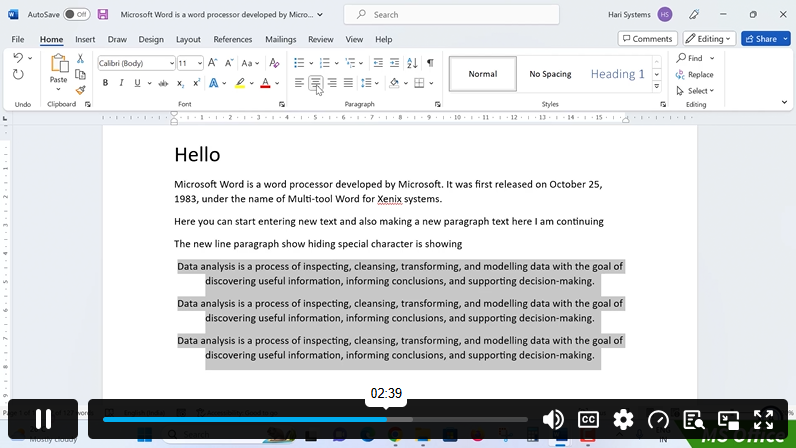
Format text with fonts, sizes, colours and effects. Control paragraphs with alignment, line spacing, indents, tabs, bullets and numbering, and use Format Painter to save time.

Insert and build tables to organise information. Add and delete rows and columns, merge and split cells, apply table styles, and adjust borders and shading.

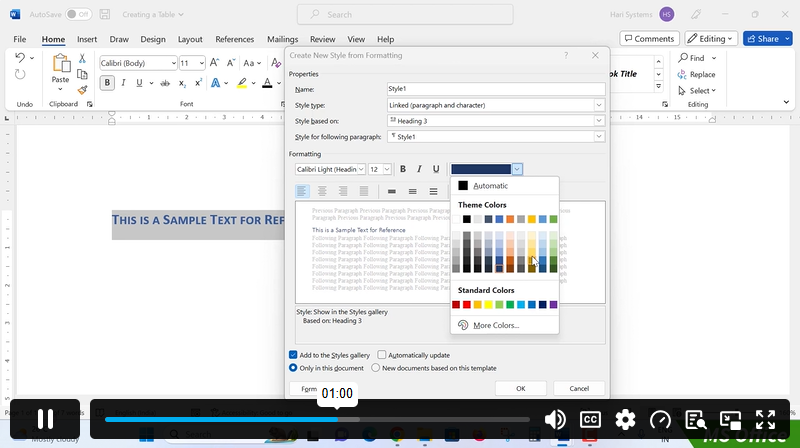
Use Word’s built-in Styles for headings and body text, create and modify your own styles, and keep long documents consistent with minimal effort.

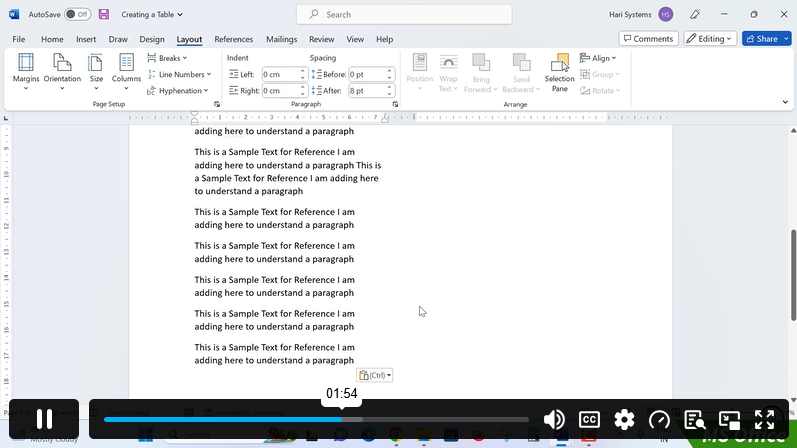
Set margins, orientation, page size and columns. Add section breaks, page numbers, headers and footers, and design pages that look professional.

Create and print envelopes with delivery and return addresses, and design address labels, name tags and product labels using Word’s label tools.

Automate personalised documents. Connect Word to a list of recipients and generate customised letters, envelopes and labels in bulk using mail merge.

Polish your work with spelling and grammar checks, Track Changes and comments. Preview your document, adjust print settings, and print or save as PDF.

Frequently Asked Questions

Is this Microsoft Word 2021 online course suitable for beginners?

Yes. The course starts with the basics and builds step by step, so you need no previous Microsoft Word experience.

Which version of Word do I need?

You need Microsoft Word 2021 or Microsoft 365. Most lessons also apply to Word 2019 and 2016, though a few menus or features may differ slightly in older versions.

Will I learn to print envelopes and labels?

Yes. Section 07 shows you how to create and print envelopes and labels, and Section 08 shows you how to produce them in bulk with mail merge.

How long does it take to complete the course?

The course is self-paced, so you can finish it in a few weeks or take longer to fit your schedule.

Will I receive a certificate?

Yes. You receive a certificate of completion once you finish the course.

Course Curriculum

Section 01: Word 2021: Introduction
Overview of MS Word 00:04:00
Start MS Word 2021 00:05:00
Section 02: Word 2021: Basics
Create a new blank document 00:04:00
Creating a paragraph text 00:05:00
Non-printing characters 00:03:00
Save a document 00:03:00
Open a document 00:01:00
Find and replace 00:04:00
Section 03: Word 2021: Word Formatting
AutoCorrect options 00:03:00
Formatting text 00:04:00
Copy cut and paste 00:04:00
Character formatting 00:02:00
Format painter 00:04:00
Work with numbers 00:02:00
Add bullets 00:03:00
Outline creation 00:04:00
Section 04: Word 2021: Tables
Creating a table 00:03:00
Adding rows and columns to a table 00:02:00
Formatting table data 00:02:00
Borders and shading 00:02:00
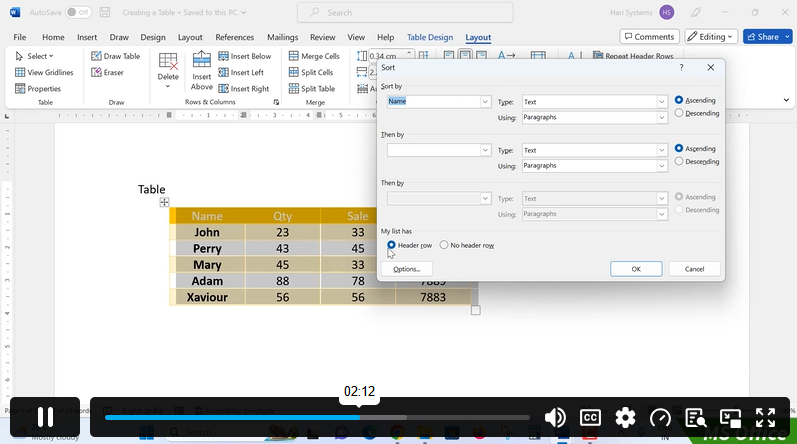
Sorting in a table 00:04:00
Draw a table 00:04:00
Convert text to table 00:03:00
Convert table to text 00:02:00
Insert a spreadsheet 00:02:00
Quick tables – readily available formats 00:02:00
Section 05: Word 2021: Styles
Working with styles 00:02:00
Creating styles 00:02:00
Clear formatting 00:01:00
Section 06: Word 2021: Page Layout
Margins 00:02:00
Orientation 00:01:00
Page size setting 00:01:00
Adding columns 00:03:00
Page break – section break 00:02:00
Adding watermark 00:03:00
Headers and footers 00:03:00
Section 07: Word 2021: Envelops and Lables
Create envelops 00:02:00
Creating labels 00:02:00
Section 08: Word 2021: Mail Merges
Creating a mail merge document 00:03:00
Section 09: Word 2021: Review and Printing
Thesaurus and spell check 00:01:00
Word count 00:01:00
Speech – read aloud 00:01:00
Language – translate 00:01:00
Tracking 00:01:00
Microsoft Word 2021 Online Course – Beginner to Advanced
ex Vat

SAVE 84% - OFFER ENDS SOON

TAKE THIS COURSE

Or

  • Original price was: £125.00.Current price is: £20.00. ex Vat
  • 1 year
  • Course Badge
  • Course Certificate
  • 1 hour, 53 minutes
  • Gift this course
£20 /Unit Price
Total:
£100.00
Quantity:

Buying more than one of the same courses?

  • 50% discount for orders of 10+ courses
  • 60% discount for orders of 50+ courses
  • 70% discount for orders of 100+ courses

Looking for a more personalised package?

contact us now

Instructors

67 STUDENTS ENROLLED