Microsoft Excel with Claude AI

4.9 (18 REVIEWS)
35 STUDENTS

GET THIS COURSE AND 2500+ OTHERS FOR ONLY £49 FIND OUT MORE

Microsoft Excel with Claude AI

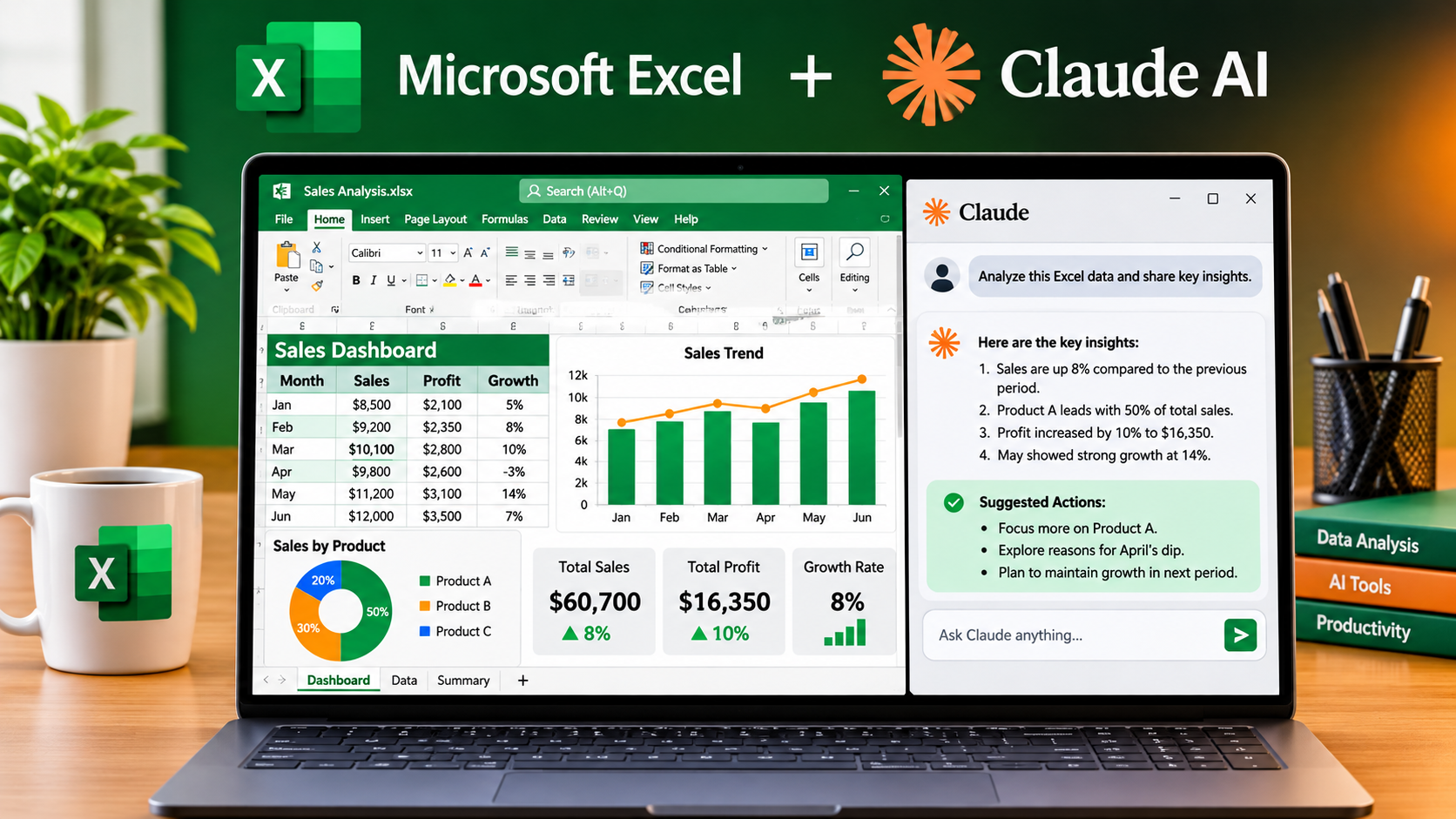
Turn complicated Excel tasks into practical skills with Claude AI. Create formulas, organise data, analyse figures and prepare clearer reports.

Overview of Microsoft Excel with Claude AI

A single wrong Excel formula can affect an entire report. Duplicate records can make your figures confusing, and finding useful information in a large spreadsheet can take longer than expected. What if you could use AI to make these everyday tasks easier?

Microsoft Excel with Claude AI is a practical course for people who work with spreadsheets and want to use artificial intelligence to handle formulas, data cleaning, analysis and reporting. Whether you’re an office administrator, finance assistant, business professional or someone developing new digital skills, this course shows you how Claude AI can support your Excel work.

You’ll begin by working with Excel workbooks and writing effective prompts. From there, you’ll cover formula generation, including IF, AND, OR, VLOOKUP and XLOOKUP, before moving into cleaning messy datasets and analysing business figures.

You’ll also explore how to create charts, generate summaries and present spreadsheet findings. The final module brings these skills together through a practical business workbook project, including checking the completed results.

Instead of simply reading about AI, you’ll follow a clear learning journey built around real spreadsheet tasks.

Start your Microsoft Excel with Claude AI course and build skills you can put into practice.

Key Features

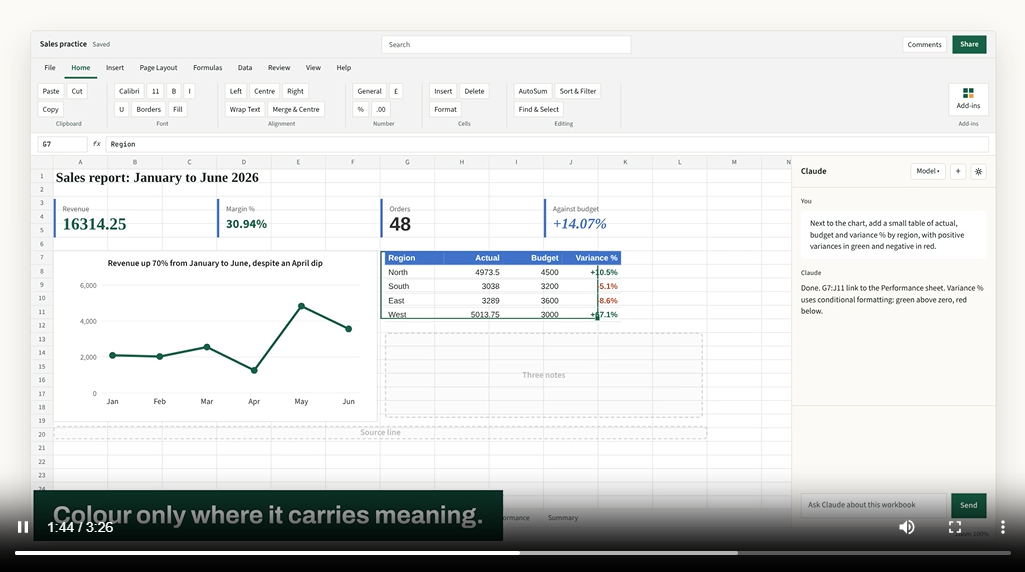
Sneak Peek

What You Will Learn

This Claude AI Excel course covers the skills needed to use AI assistance across everyday spreadsheet tasks.

By the end of the course, you will have covered how to:

  • Use Claude AI to interact with Microsoft Excel workbooks and spreadsheet data.
  • Write clear prompts for Excel calculations and data-related tasks.
  • Generate mathematical and statistical formulas using Claude.
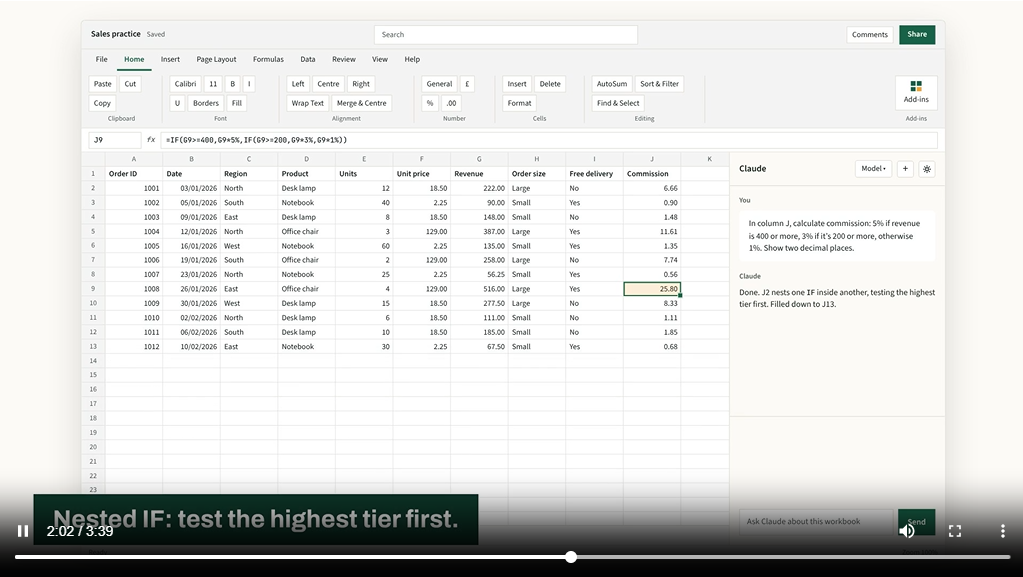
  • Create conditional formulas with IF, AND, OR and nested functions.
  • Work with VLOOKUP and XLOOKUP to retrieve spreadsheet information.
  • Explain, troubleshoot and improve existing Excel formulas.
  • Identify duplicate records, missing values and inconsistent information.
  • Clean, standardise and organise spreadsheet datasets.
  • Analyse sales figures, financial information and business performance.
  • Identify trends, patterns and unusual results in Excel data.
  • Create summary tables, charts and professional reports.
  • Validate and present the results of an AI-assisted Excel project.

These skills work together. Rather than treating formulas, data cleaning and reporting as separate tasks, you’ll see how Claude AI can assist throughout the spreadsheet workflow.

Certification

Once you’ve successfully completed your GDPR 2026 Training Course online, you will immediately be sent a digital certificate. Also, you can have your printed certificate delivered by post (shipping cost £5.99). All of our courses are fully accredited, providing you with up-to-date skills and knowledge and helping you to become more competent and effective in your chosen field.

Training-Express-Certificate-CPD-QS-1-1

Who Is This Course For?

This Microsoft Excel with Claude AI course is designed for people who want to develop practical AI-assisted spreadsheet skills.

It is particularly relevant to:

  • Office administrators who organise records, manage spreadsheets and prepare reports.
  • Finance and accounting staff who work with calculations, financial data and summaries.
  • Sales professionals who monitor figures, review trends and report on performance.
  • Business and operations staff who handle datasets and routine spreadsheet tasks.
  • Data and reporting professionals who want to develop AI-assisted analysis techniques.
  • Students and career-focused learners interested in combining Excel knowledge with practical AI skills.

If Excel is part of your work or studies, the course offers a structured way to develop your approach to formulas, data management and reporting.

Why Use Claude AI with Microsoft Excel?

Microsoft Excel helps businesses organise information, perform calculations and analyse results. Claude AI adds another way to work with that information through natural-language instructions.

Instead of approaching every spreadsheet problem manually, you can use AI assistance to examine formulas, organise data and prepare summaries.

Make Excel Formulas Easier to Handle

You don’t always need to remember every formula structure. Claude can suggest calculations from written instructions, explain existing formulas and help identify problems.

The course covers common functions as well as conditional and lookup formulas, helping you develop a more practical approach to spreadsheet calculations.

Organise Data More Effectively

Duplicate entries, inconsistent formatting and missing information can make spreadsheet work difficult.

Claude can assist with identifying these issues and suggesting ways to organise records. The course covers data cleaning and standardisation so you can approach messy spreadsheets more systematically.

Turn Figures into Useful Information

A sales spreadsheet might contain hundreds of transactions, but the important question is what those figures reveal.

Claude can support the process of identifying patterns, reviewing performance and generating summaries. You’ll cover these techniques using sales, financial and business data.

Create Clearer Charts and Reports

Charts and reports help communicate findings to colleagues and managers.

The course covers using Claude to select visualisations, prepare summaries and present spreadsheet results. You’ll also examine how to check your work before presenting it.

Build the skills to move from raw Excel data to useful business insights with Claude AI.

Practical AI-Powered Excel Project

Knowing how to write an AI prompt is useful. Knowing how to apply it across a complete spreadsheet task is even more valuable.

The course includes a final project built around an existing business workbook. It brings together the main skills covered throughout the seven modules.

The project covers four connected stages:

  1. Analyse the workbook: Examine the existing spreadsheet and identify the information needed.
  2. Generate formulas and clean data: Use AI assistance to work with calculations, records and formatting.
  3. Prepare summaries and reports: Create charts, data summaries and performance reports.
  4. Validate the results: Check the completed spreadsheet work and present the findings.

This project connects the individual lessons to a practical workflow, showing how formulas, data organisation, analysis and reporting can support one another.

Career Path: Where Can Excel and Claude AI Skills Be Useful?

Excel is used for many everyday tasks across UK businesses and organisations. Developing AI-assisted spreadsheet skills can complement existing knowledge in administration, finance, sales and reporting.

The techniques covered in this course are relevant to several workplace responsibilities.

Administrative Assistant

Administrative assistants often maintain records, organise information and prepare documents or reports. Skills in spreadsheet cleaning, formula generation and data summaries can support these tasks.

Finance Assistant

Finance assistants may work with financial records, calculations and regular reports. The course’s formula and financial analysis topics are relevant to this type of spreadsheet work.

Sales Coordinator

Sales coordinators frequently review sales figures and prepare performance updates. AI-assisted analysis can help with examining trends, organising information and presenting findings.

Operations Coordinator

Operations work often involves tracking activities, checking records and reporting on performance. The course covers techniques that can support these spreadsheet responsibilities.

Data or Reporting Assistant

Data and reporting assistants work with calculations, information quality, summaries and visualisations. Formula troubleshooting, data cleaning and chart creation are useful skills to develop for these tasks.

The course can also support further development in advanced Excel, data analysis, business reporting and AI-assisted office productivity.

Take the Next Step with Microsoft Excel and Claude AI

Excel formulas, data cleaning and business reports don’t have to feel like separate challenges. With the right prompts and a structured approach, Claude AI can assist you across these tasks.

The Microsoft Excel with Claude AI course brings formulas, spreadsheet organisation, data analysis and reporting together in one practical learning journey.

Start your course today and develop AI-assisted Excel skills for everyday work.

What This Microsoft Excel with Claude AI Course Covers

The course is divided into seven modules, taking you from the fundamentals of AI-assisted Excel work to a practical business project.

Start by exploring how artificial intelligence works alongside Microsoft Excel. You’ll examine why AI is useful in everyday spreadsheet tasks and how it can support calculations, data management and analysis.

This module introduces practical AI applications, giving you a foundation for working with Claude in the following lessons.

A useful AI response begins with a clear instruction. This module covers Claude’s capabilities for Excel, uploading workbooks, interacting with spreadsheet data and writing effective prompts.

You’ll also explore how Claude can help analyse, generate and improve workbook content, making it easier to approach unfamiliar spreadsheet tasks.

Excel formulas can become complicated, especially when several conditions or lookup functions are involved.

This module covers using Claude to generate mathematical and statistical formulas, create IF, AND and OR conditions, and work with nested functions. You’ll also examine VLOOKUP, XLOOKUP and techniques for explaining, troubleshooting and improving existing formulas.

Before analysing a spreadsheet, the information needs to be organised.

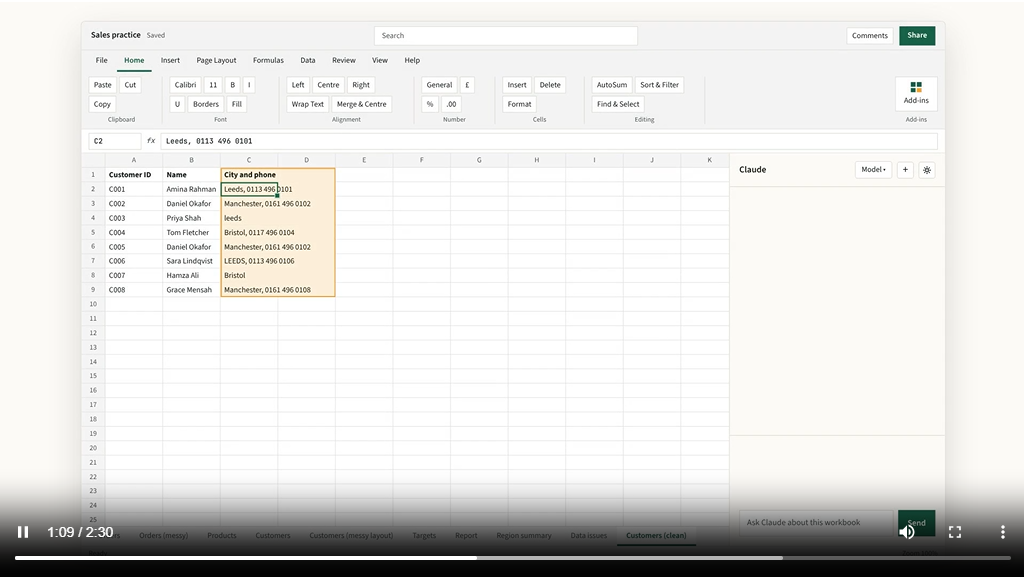
You’ll cover how to identify duplicate entries, missing values and inconsistent records. The module also examines using Claude to standardise datasets, correct formatting problems, transform unstructured information and improve spreadsheet organisation.

Once your spreadsheet is organised, the next step is making sense of the figures.

This module focuses on AI-powered Excel data analysis, including identifying trends, patterns and anomalies. You’ll cover sales, financial and performance analysis, along with generating summary tables and data-driven recommendations.

A spreadsheet full of figures becomes more useful when the findings are easy to communicate.

You’ll explore how Claude can help select suitable charts, improve Excel visualisations and create summary reports. The module also covers presenting business insights through clear, professional reporting.

The final module brings the previous topics together through an existing business workbook.

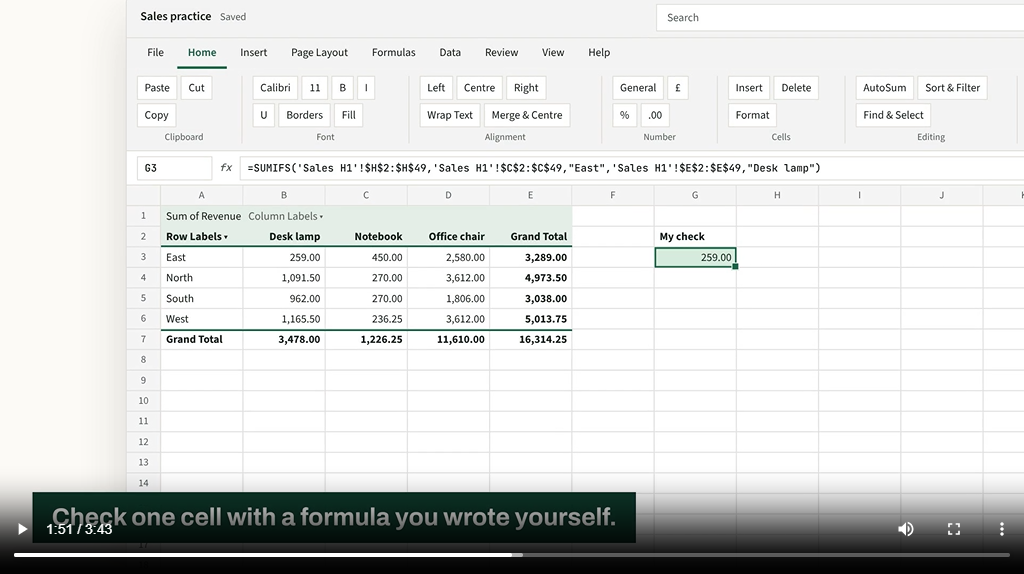
You’ll cover analysing spreadsheet information, generating formulas, cleaning records, creating data summaries and charts, and preparing performance reports. The project also includes validating and presenting the completed work.

Together, these seven modules provide a structured introduction to using Claude AI across common Excel tasks.

Frequently Asked Questions

Can Claude AI help with Excel?

Yes. Claude AI can assist with Excel formulas, spreadsheet cleaning, data analysis and reporting. This course covers these applications through practical lessons on workbook data, prompts, calculations and business reports.

How can I use Claude AI with Excel?

You can provide supported Excel workbook data to Claude and ask questions or give instructions about formulas, calculations and analysis. The course covers workbook uploads, effective prompting and AI-assisted spreadsheet tasks.

Can Claude AI generate Excel formulas?

Yes. Claude can suggest formulas based on instructions written in plain English. The course covers mathematical and statistical formulas, IF, AND, OR, nested functions, VLOOKUP and XLOOKUP.

Can Claude AI help fix Excel formula errors?

Claude can help explain existing formulas, examine calculation logic and suggest corrections. Module 3 covers troubleshooting and improving formulas, while the practical project includes validating spreadsheet results.

Can Claude AI clean messy Excel data?

Claude can assist with identifying duplicates, missing information, inconsistent records and formatting problems. Module 4 focuses on cleaning, standardising and organising Excel datasets using AI assistance.

Can Claude AI analyse Excel data?

Yes. Claude can help examine spreadsheet information, identify trends and generate summaries. The course covers sales, financial and performance analysis, including patterns, anomalies and data-driven recommendations.

Can Claude AI create Excel charts and reports?

Claude can assist with selecting charts, generating summaries and preparing reports from spreadsheet data. Module 6 covers visualisations, business insights and professional reporting.

Does this course include a practical Excel project?

Yes. Module 7 covers an AI-powered Excel project using an existing business workbook. It brings together formula generation, data cleaning, analysis, charts, performance reports and validation.

Is Microsoft Excel with Claude AI useful for office work?

The course covers tasks commonly associated with office spreadsheets, including calculations, record organisation, data analysis and reporting. These skills can complement existing responsibilities in administration, finance, sales and business operations.

Course Curriculum

Module 01: Introduction to AI-Powered Microsoft Excel
Introduction to the Course 00:03:00
1.1 Understanding the Role of Artificial Intelligence in Microsoft Excel 00:03:00
1.2 Why Integrate AI into Everyday Excel Workflows 00:03:00
1.3 How AI Transforms Spreadsheet Management and Data Analysis 00:03:00
1.4 Exploring Practical Applications of AI in Excel Based Tasks 00:02:00
Course project workbook 00:00:00
Module 02: Working with Claude AI and Excel
2.1 Understanding Claude AI s Capabilities for Microsoft Excel 00:04:00
2.2 Uploading Excel Workbooks and Interacting with Spreadsheet Data 00:03:00
2.3 Writing Effective Prompts for Excel Tasks and Calculations 00:04:00
2.4 Using Claude to Analyse, Generate and Improve Excel Workbooks 00:03:00
Prompt cheat sheet 00:00:00
Module 03: Generating Excel Formulas and Functions with Claude
3.1 Generating Essential Mathematical and Statistical Formulas Using Claude 00:03:00
3.2 Creating Conditional Formulas Using IF, AND, OR and Nested Functions 00:04:00
3.3 Generating Lookup Formulas Using VLOOKUP and XLOOKUP 00:03:00
3.4 Explaining, Troubleshooting and Optimising Existing Excel Formulas 00:04:00
Formula practice answer key 00:00:00
Formula practice 00:00:00
Module 04: Cleaning and Organising Excel Data with Claude
4.1 Identifying Duplicate, Missing and Inconsistent Spreadsheet Records 00:03:00
4.2 Using Claude to Clean and Standardise Excel Datasets 00:03:00
4.3 Correcting Formatting Issues and Transforming Unstructured Data 00:03:00
4.4 Organising and Improving Spreadsheet Data Using AI 00:02:00
Messy customer list 00:00:00
Module 05: Analysing Excel Data with Claude AI
5.1 Analysing Spreadsheet Data and Generating Business Insights 00:03:00
5.2 Identifying Trends, Patterns and Anomalies Using Claude 00:03:00
5.3 Performing Sales, Financial and Performance Analysis 00:05:00
5.4 Generating Summary Tables and Data Driven Recommendations 00:04:00
Module 06: Creating Charts and Reports Using Claude
6.1 Selecting Appropriate Charts and Visualisations with Claude 00:04:00
6.2 Generating and Improving Excel Charts Using AI Assistance 00:03:00
6.3 Creating Summary Reports and Presenting Spreadsheet Findings 00:04:00
6.4 Producing Business Insights and Professional Reports with Claude 00:03:00
Module 07: Practical AI-Powered Excel Project
7.1 Analysing an Existing Business Workbook Using Claude 00:04:00
7.2 Generating Formulas and Cleaning Spreadsheet Data with AI 00:04:00
7.3 Creating Data Summaries, Charts and Performance Reports 00:04:00
7.4 Validating and Presenting the Completed Excel Project 00:05:00
Change log template 00:00:00
Q3 Sales project 00:00:00
Materials
Final project brief and rubric 00:00:00
Final project instructor key 00:00:00
Formula practice answer key 00:00:00
Prompt cheat sheet 00:00:00
Verification checklist 00:00:00
Microsoft Excel with Claude AI
ex Vat

SAVE 84% - OFFER ENDS SOON

TAKE THIS COURSE

OR

🔥 87 units sold in last 24 hours
Microsoft Excel with Claude AI
ex Vat

SAVE 84% - OFFER ENDS SOON

TAKE THIS COURSE

Or

  • Original price was: £125.00.Current price is: £20.00. ex Vat
  • 1 year
  • Course Certificate
  • 1 hour, 39 minutes
  • Gift this course
£20 /Unit Price
Total:
£100.00
Quantity:

Buying more than one of the same courses?

  • 50% discount for orders of 10+ courses
  • 60% discount for orders of 50+ courses
  • 70% discount for orders of 100+ courses

Looking for a more personalised package?

contact us now

Instructors

35 STUDENTS ENROLLED
    Chat with us