Food Hygiene
 Health & Safety
 Safeguarding
 First Aid
 Business Skills
 Personal Development




Course Curriculum
| Section 01: Introduction | |||
| Course Introduction | 00:03:00 | ||
| Section 02: Setting Up | |||
| Setting Up For iOS | 00:05:00 | ||
| Setting Up For Android on Mac | 00:11:00 | ||
| Setting Up For Android on Windows | 00:13:00 | ||
| Multi Resolution Support | 00:16:00 | ||
| Section 03: Adding a Sprite | |||
| Adding a Sprite | 00:04:00 | ||
| Section 04: Positioning | |||
| Positioning Using MoveBy | 00:03:00 | ||
| Positioning Using MoveTo | 00:03:00 | ||
| Positioning Using JumpBy | 00:03:00 | ||
| Positioning Using JumpTo | 00:03:00 | ||
| Positioning Using BezierBy | 00:04:00 | ||
| Positioning Using BezierTo | 00:03:00 | ||
| Positioning Using Place | 00:02:00 | ||
| Section 05: Scaling | |||
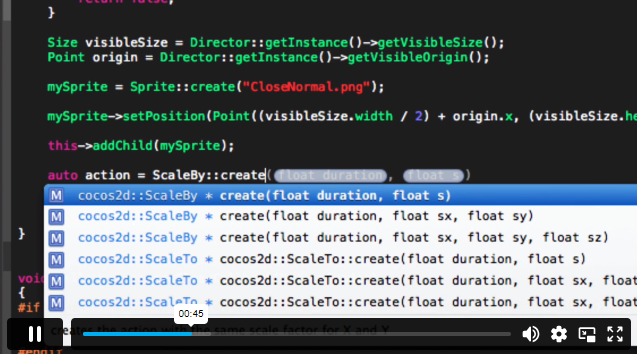
| Scaling Using ScaleBy | 00:03:00 | ||
| Scaling Using ScaleTo | 00:03:00 | ||
| Section 06: Rotation | |||
| Rotating Using RotateBy | 00:03:00 | ||
| Rotating Using RotateTo | 00:03:00 | ||
| Section 07: Tinting | |||
| Tinting Using TintBy | 00:03:00 | ||
| Tinting Using TintTo | 00:02:00 | ||
| Section 08: Fading | |||
| Fading Using FadeTo | 00:02:00 | ||
| Fading Using FadeIn | 00:02:00 | ||
| Fading Using FadeOut | 00:02:00 | ||
| Section 09: Sequencing | |||
| Repeat | 00:04:00 | ||
| RepeatForever | 00:03:00 | ||
| Sequence | 00:04:00 | ||
| Section 10: Skewing | |||
| Skewing Using SkewBy | 00:02:00 | ||
| Skewing Using SkewTo | 00:02:00 | ||
| Section 11: Audio | |||
| Playing Sound Effect | 00:06:00 | ||
| Playing Sound Effect Repeatedly | 00:04:00 | ||
| Setting Sound Effect Volume | 00:03:00 | ||
| Stopping Sound Effect | 00:05:00 | ||
| Playing Music | 00:04:00 | ||
| Stopping Music | 00:03:00 | ||
| Pausing and Resuming Music | 00:04:00 | ||
| Setting Music Volume | 00:03:00 | ||
| Section 12: Touch Input | |||
| Setting Up Single Touch Events | 00:04:00 | ||
| Touch Began Using onTouchBegan | 00:05:00 | ||
| Touch Moved Using onTouchMoved | 00:03:00 | ||
| Touch Ended Using onTouchEnded | 00:03:00 | ||
| Setting Up Multi Touch Events | 00:05:00 | ||
| Touches Began Using onTouchesBegan | 00:02:00 | ||
| Touches Moved Using onTouchesMoved | 00:03:00 | ||
| Touches Ended Using onTouchesEnded | 00:03:00 | ||
| Section 13: Menus | |||
| Setting up A Menu | 00:03:00 | ||
| Adding a Menu Font Item | 00:07:00 | ||
| Adding a Menu Image Item | 00:05:00 | ||
| Menu Alignment | 00:02:00 | ||
| Section 14: Scenes | |||
| Creating a New Scene | 00:04:00 | ||
| Pushing a Scene | 00:05:00 | ||
| Popping a Scene | 00:03:00 | ||
| Replace a Scene | 00:05:00 | ||
| Scene Transitions | 00:03:00 | ||
| Section 15: Animations | |||
| Sprite Animations | 00:04:00 | ||
| Section 16: Accelerometer | |||
| Accelerometer | 00:05:00 | ||
| Section 17: Cocos Console | |||
| Creating a New Project | 00:02:00 | ||
| Compiling a Project | 00:07:00 | ||
| Running a Project | 00:07:00 | ||
| Deploying a Project | 00:06:00 | ||
£20
ex Vat
TAKE THIS COURSE
SAVE 84% - OFFER ENDS SOON
Or
96% OFF
Take all courses for £49
- Original price was: £125.00.£20.00Current price is: £20.00. ex Vat
- 1 year
- Intermediate
- Course Certificate
- 3 hours, 59 minutes Gift this course
Buying more than one of the same courses?
- 50% discount for orders of 10+ courses
- 60% discount for orders of 50+ courses
- 70% discount for orders of 100+ courses
Looking for a more personalised package?
contact us nowInstructors

8 STUDENTS ENROLLED