Food Hygiene
 Health & Safety
 Safeguarding
 First Aid
 Business Skills
 Personal Development


Course Curriculum
| Introduction | |||
| Introduction | 00:01:00 | ||
| Customizing Excel | |||
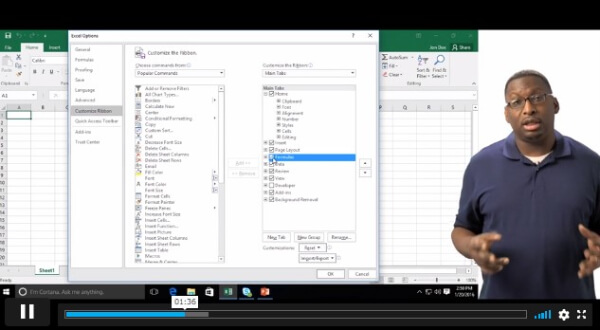
| Customizing the Ribbon | 00:06:00 | ||
| Customizing the Quick Access Tool Bar | 00:04:00 | ||
| Customizing the General and Formula Options | 00:02:00 | ||
| Customzing the Auto Correct Options | 00:04:00 | ||
| Customizing the Save Default | 00:02:00 | ||
| Customizing Advanced Excel Options | 00:03:00 | ||
| Linking Workbooks and Worksheets | |||
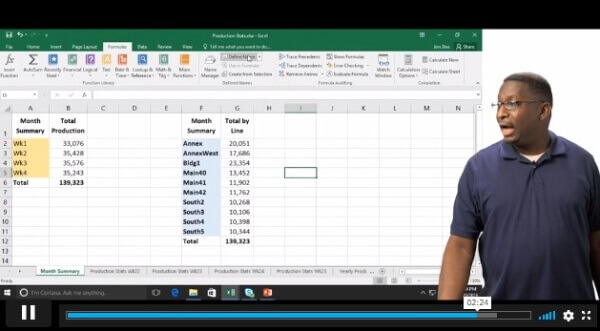
| Linking Workbooks and Worksheets | 00:05:00 | ||
| Linking Worksheets with 3D References | 00:03:00 | ||
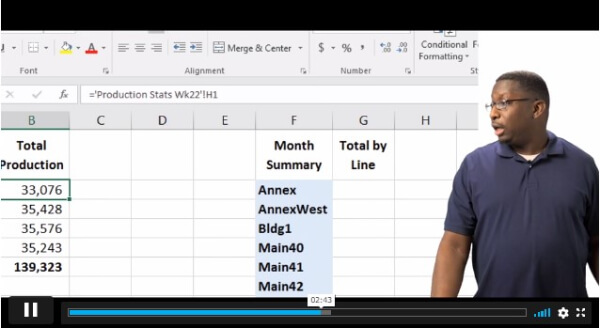
| Understanding the Consolidate Feature | 00:05:00 | ||
| Working with Range Names and Advanced Formulas | |||
| What are Range Names | 00:03:00 | ||
| Creating Range Names Using the Name Box and Define Name | 00:07:00 | ||
| Creating Range Names Using Create from Selection | 00:03:00 | ||
| Analyzing Data with Common Logical Functions | |||
| Working with the Most Common Logical Functions | 00:03:00 | ||
| Evaluate Data with the AND Function | 00:03:00 | ||
| Evaluate Data with the OR Function | 00:03:00 | ||
| Understanding IF Functions | 00:04:00 | ||
| Nesting AND and OR Inside and IF Function | 00:06:00 | ||
| Analyzing Data with Common Lookup Functions | |||
| What are Lookup Functions | 00:02:00 | ||
| Using VLookup | 00:08:00 | ||
| Using HLookup | 00:02:00 | ||
| Sorting and Filtering Range Data | |||
| Differences Between Sorting & Filtering | 00:02:00 | ||
| Sorting Lists | 00:04:00 | ||
| Filtering Lists | 00:03:00 | ||
| Analyzing and Organizing with Tables | |||
| Creation and Benefits of a Table | 00:02:00 | ||
| Elements of a Table | 00:03:00 | ||
| Formatting a Table | 00:03:00 | ||
| Sorting Tables | 00:02:00 | ||
| Filtering Tables | 00:03:00 | ||
| Filtering with Slicers | 00:03:00 | ||
| Calculating with Tables | 00:04:00 | ||
| Removing Erroneous Table Data | 00:02:00 | ||
| Exporting, Refreshing, Converting Tables | 00:02:00 | ||
| Using Conditional Formatting | |||
| What is Conditional Formatting | 00:01:00 | ||
| Conditional Formatting and Highlight Cells and Top Bottom Rules | 00:04:00 | ||
| Conditional Formatting Data Bars, Icon Sets, and Color Scales | 00:04:00 | ||
| Using Custom Fonts and Colors | 00:02:00 | ||
| Using Custom Conditional Formatting | 00:03:00 | ||
| Modify or Remove Conditional Formatting | 00:02:00 | ||
| Outlining with Subtotals and Grouping | |||
| What are Subtotals and Grouping | 00:01:00 | ||
| Creating Subtotals | 00:03:00 | ||
| Grouping and Ungrouping Data | 00:02:00 | ||
| Displaying Data Graphically | |||
| What are Charts | 00:04:00 | ||
| Creating Charts | 00:04:00 | ||
| Understanding Chart Elements | 00:03:00 | ||
| Modifying Chart Elements | 00:07:00 | ||
| Changing and Moving Charts | 00:04:00 | ||
| Filtering a Chart | 00:02:00 | ||
| Formatting Charts | 00:07:00 | ||
| Adjusting Numbering | 00:03:00 | ||
| Creating Dual Axis Charts | 00:02:00 | ||
| Forecasting with Trendlines | 00:05:00 | ||
| Creating a Chart Template | 00:01:00 | ||
| Displaying Trends with Sparklines | 00:04:00 | ||
| Understanding PivotTables and PivotCharts and Filtering with Slicers | |||
| What is a Pivot Table | 00:04:00 | ||
| Creating a Pivot Table | 00:03:00 | ||
| Working with the Pivot Table Fields Pane | 00:07:00 | ||
| Basic Data Organization and Analysis with Pivot Table | 00:04:00 | ||
| Formatting Pivot Tables | 00:06:00 | ||
| Creating a Pivot Chart | 00:04:00 | ||
| Modifying and Formatting a Pivot Chart | 00:03:00 | ||
| Adding Slicers and Timeline Slicers | 00:03:00 | ||
| Formatting Slicers | 00:03:00 | ||
| Working with Flash Fill | |||
| What is Flash Fill | 00:01:00 | ||
| Using Flash Fill and Autofill | 00:03:00 | ||
| Filling Various Series | 00:04:00 | ||
| Working with Date and Time Functions | |||
| What are Date and Time Functions- | 00:02:00 | ||
| Using TODAY, NOW, and DAY Functions | 00:02:00 | ||
| Using NETWORKDAYS and YEARFRAC Functions | 00:03:00 | ||
| Working with Common Text Functions | |||
| What are Text Functions | 00:01:00 | ||
| Using CONCATENATE | 00:03:00 | ||
| Using Text to Columns | 00:02:00 | ||
| Using LEFT, RIGHT, & MID Functions | 00:02:00 | ||
| Using UPPER, LOWER, & PROPER Functions | 00:02:00 | ||
| Conclusion | |||
| Course Recap | 00:02:00 | ||
Course Ratings
No Ratings found for this course.
£0
ex Vat
PRIVATE COURSESAVE 0% - OFFER ENDS SOON
Or
96% OFF
Take all courses for £49
- PRIVATE
- 1 year
- Intermediate
- Course Certificate
- 4 hours, 4 minutes
Buying more than one of the same courses?
- 50% discount for orders of 10+ courses
- 60% discount for orders of 50+ courses
- 70% discount for orders of 100+ courses
Looking for a more personalised package?
contact us nowInstructors

27 STUDENTS ENROLLED