Claude AI Masterclass Course: From Beginner to Advanced

4.9 (1518 REVIEWS)
56 STUDENTS

GET THIS COURSE AND 2500+ OTHERS FOR ONLY £49 FIND OUT MORE

You’ve probably tried Claude, Anthropic’s AI assistant, and asked it a question or two. But getting answers that actually save you time, like a report summary you can send straight to your manager, takes a bit of know-how. This Claude AI course gives you that know-how, one practical step at a time.

Across 12 short modules, you’ll move from your very first conversation to Projects, Artifacts, web research, connectors and Skills. Most lessons take only a few minutes, so you can learn during a lunch break and try each new idea on your own work the same day.

By the end, you’ll know how to give Claude clear instructions and how to check what it tells you. You’ll also be able to use it for everyday jobs like summarising long PDFs, drafting emails and planning projects. Pass the online assessment and you’ll receive a CPD-accredited certificate to show for it.

Last audited and updated on: 6th November 2026

Sneak Peek

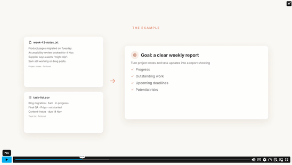
Sneak Peek of Claude AI Masterclass
Sneak Peek of Claude AI Masterclass (1)

Learning Outcomes

By the end of this course, you’ll be able to:

What Is Claude AI?

Claude is an AI assistant made by Anthropic, an AI safety and research company based in the US. You talk to it in plain English, either on the web or in its desktop and mobile apps. It can write and edit text, answer questions, read the files you upload, search the web and help you think through tricky problems.

This online course shows you how to use Claude properly, not just occasionally. You’ll learn what it does well, where it can make mistakes, and how to get reliable results for work, study and everyday life, without needing any technical background.

Who Should Take This Claude AI Course?

This course is for anyone who wants Claude to save them real time each week. Maybe you’ve never opened it before, or maybe you use it daily but suspect you’re only scratching the surface. Either way, you’ll fit right in.

It’s particularly useful for:

If you can use a web browser and type a question, you’re ready to start. You’ll begin with the basics and build up gradually at a pace that suits you.

Why Take This Claude AI Course?

Anyone can type a question into Claude. The difference between an okay answer and a really useful one usually comes down to how you ask, and what you do with the reply afterwards. That’s exactly what this course teaches.

Here’s what you’ll get out of it:

You don’t need to become an AI expert to benefit. You just need a handful of good habits that make Claude useful every single day, and this course helps you build them.

Job Opportunities & Salary Expectations in the UK

Claude AI skills can complement roles where writing, research, organisation and information analysis are part of everyday work. Here are eight relevant UK careers and their typical annual salary ranges, from starter to experienced level:

These National Careers Service salary ranges vary by experience, employer and location. Claude training can support useful workplace skills, but completing this course alone does not qualify you for these roles or guarantee employment.

Entry Requirements for Claude AI Masterclass

There are no formal entry requirements for this course. To get the most out of it, you’ll need:

That’s all. You don’t need any previous AI or coding experience.

Assessment of Claude AI Training

At the end of the Claude AI Masterclass course, you’ll complete an online assessment to demonstrate your understanding of the course. Training Express offers free assessment retakes, so if you don’t pass on your first attempt, you can try again without paying an additional fee. The course also includes practical activities covering prompting, document analysis, Projects, Artifacts and research.

Accreditation of Claude AI Training

All of our courses, including this Claude AI Masterclass – from Beginners to Advanced is fully accredited, providing you with up-to-date skills and knowledge and helping you to become more competent and effective in your chosen field.

CPD Accredited

All our courses are CPD accredited, meeting recognised Continuing Professional Development (CPD) standards.

RoSPA Membership

RoSPA membership shows commitment to health and safety and helps organisations maintain strong safety standards and reduce workplace risks.

British Safety Council Member

A British Safety Council Member demonstrates commitment to high health, safety, and wellbeing standards and safer workplaces.

Certification

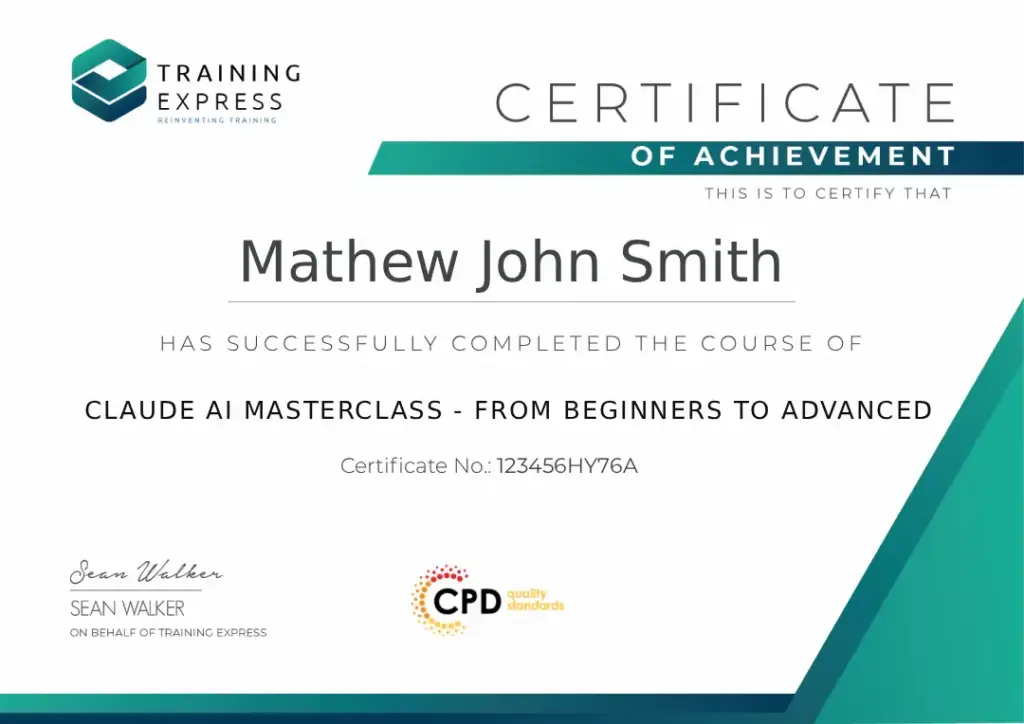
Once you’ve successfully completed your Claude AI Masterclass Course online, you will immediately be sent a digital certificate. Also, you can have your printed certificate delivered by post (shipping cost £5.99). All of our courses are fully accredited, providing you with up-to-date skills and knowledge and helping you to become more competent and effective in your chosen field.

↻
Recommended renewal: 3 years.
Our certifications have no expiry dates, but we recommend renewing them to stay up to date with industry best practices.
Course Curriculum

The detailed curriculum outline of our Claude AI Masterclass – from Beginners to Advanced is as follows:

Get familiar with Claude, its main features and how it differs from traditional search engines and other AI assistants. You’ll learn how to create an account, understand free and paid options, choose available models and navigate the interface. This gives you the confidence to start and manage conversations.

Find out how Claude processes instructions, uses conversation history and handles complex questions. You’ll examine context windows, reasoning and common limitations, including hallucinations and factual mistakes. Understanding these helps you recognise when Claude needs more information and when an answer requires checking.

A useful result starts with a clear prompt. You’ll practise setting objectives, providing context, controlling tone and specifying output formats. The module also covers role prompting, few-shot examples, XML-style tags and prompt chaining, with a practical exercise to improve weak instructions.

Learn how to use Claude with PDFs, Word documents, spreadsheets, presentations and supported images. You’ll practise locating facts, summarising lengthy files, comparing information and identifying patterns. The module also covers turning uploaded material into clearer reports, summaries and other useful documents.

Claude Projects helps keep related conversations, instructions and reference documents together. You’ll learn how to create Projects, organise knowledge bases and maintain consistent instructions across tasks. The module also explains knowledge retrieval and its limitations, with a practical marketing assistant project.

Turn instructions into something you can work with. This module introduces Claude Artifacts for creating documents, presentations, diagrams, visualisations, simple websites and interactive tools. You’ll also practise editing, refining and sharing supported outputs through a project that develops an idea into a working result.

Learn when Claude’s existing knowledge is enough and when current information is needed. You’ll explore web search, URLs, citations and source verification before moving into deeper research workflows. A practical project focuses on researching the UK online training market and organising findings into a useful report.

See how Claude can assist with tasks you already recognise. The lessons cover emails, reports, proposals, SWOT analysis, meeting notes, action points, project plans and checklists. You’ll also examine learning applications such as study plans, quizzes and flashcards, while keeping responsibility for the final outputs.

Explore how Claude uses conversation history, memory and personalisation to support ongoing work. You’ll learn how to find previous conversations, review remembered information and manage or delete stored details. The module also explains when memory is useful and when privacy considerations make it less appropriate.

Learn how connectors can bring information from supported applications into Claude’s workflows. The module introduces Google Workspace, Microsoft 365 and third-party services, alongside practical considerations around permissions, business data and security. You’ll see why checking what a connected application can access matters.

Explore more advanced ways to organise Claude’s work. You’ll compare Skills, plugins, Projects and connectors, then look at pre-built and custom Skills. The module introduces multi-step agentic workflows and explains why reviewing actions, managing permissions and human approval are important.

Finish with the safeguards that matter when using AI professionally. You’ll examine hallucinations, fact-checking, bias, personal information, confidential business data and copyright. The module also covers reviewing autonomous actions and recognising situations where human judgement must take priority over an AI-generated recommendation.

Frequently Asked Questions (FAQs)

What will I learn in this Claude AI course?

You’ll learn to write clear prompts, work with documents and files, organise your work in Projects, and create documents and tools with Artifacts. You’ll also cover web research, connectors, Skills and how to check AI answers. The course has 12 modules and takes about 2 hours 21 minutes.

Is Claude AI free to use?

Yes. Claude has a free plan that works on the web and in its desktop and mobile apps, so you can start without paying anything. Paid plans, such as Pro and Max, give you more usage and some extra features. Prices vary by country, so check Anthropic’s website for the current UK price.

Do I need a paid Claude plan to take this course?

No. You can follow most of this course on Claude’s free plan. A few advanced features, along with heavier daily use, need a paid plan such as Pro.

Do I need coding skills to learn Claude AI?

No. Everything in this course works in plain English through the Claude app. Coding only becomes useful if you later want to build things with Claude Code or the Claude API, which this course doesn’t cover.

How long does it take to learn Claude AI?

You can learn the basics in an afternoon. This Claude course takes about 2 hours 21 minutes, split into short lessons you can fit around work. After that, you’ll keep improving the more you use Claude on your own everyday tasks.

Is Claude better than ChatGPT?

Neither is best at everything. Both are capable AI assistants, and the right choice depends on your tasks and the tools your workplace already uses. The good news is that the skills you learn in this course, like clear prompting and checking answers, also work with ChatGPT, Copilot and Gemini.

Is Claude AI safe to use at work?

Yes, as long as you follow a few simple rules. Start by checking your organisation’s AI policy, because many workplaces now have one. Don’t paste in private personal or client information unless your workplace allows it. And always check important answers before you rely on them. The final module of this course covers safe, responsible use.

Can Claude AI read PDFs and spreadsheets?

Yes. You can upload PDFs, Word documents, spreadsheets and images, then ask Claude to summarise, compare or pull out key details. There are limits on file size and usage, so very large files may need splitting into smaller parts. Always double-check any figures it gives you.

Is a Claude AI course worth taking?

A structured course can be worthwhile if you want to use Claude for more than occasional questions. This masterclass covers practical prompting, documents, research, Projects and advanced features, helping you develop skills you can apply to appropriate tasks at work or in your own projects.

Claude AI Masterclass Course Reviews

Excellent

4.8 Average 1518 Reviews

  Reviews

Wayne Wynter Sr
📍GB
Nice and clear easy to under stand. and thank you so much i got it at a great price.
Rachael Elliott-Hughes
📍GB
It was a little tricky to get my whole team signed on to the course, but I did receive help with this. Once into the course it was straight forward and easy to complete.
Banky Banky
📍GB
Very easy modules and questions. Assignment was easy and straightforward.
Ian Pollock
📍GB
Easy to engage and follow and can manage the course at your own speed.

Course Curriculum

Module 01: Getting Started with Claude
1.1 Understanding Claude 00:03:00
1.2 Creating Your Claude Account 00:02:00
1.3 Understanding the Claude Interface 00:03:00
Module 02: Understanding How Claude Works
2.1 How Claude Generates Response 00:01:00
2.2 Context and conversation history 00:01:00
2.3 Instructions vs context 00:01:00
2.4 Why Claude sometimes misunderstands requests 00:01:00
2.6 Context windows 00:01:00
2.7 Reasoning and complex tasks 00:01:00
2.8 When Claude needs additional information 00:01:00
2.9 Understanding model limitations 00:01:00
Conclusion 00:01:00
Module 03: Prompting Claude Effectively
3.1-prompt-fundamentals 00:03:00
3.1-prompt-structure 00:03:00
3.2-advanced-prompting 00:04:00
Module 04: Working With Documents and Files
4.1 Uploading and Understanding Files 00:03:00
4.2 Extracting and Finding Information 00:02:00
4.3 Analysing and Summarising Documents 00:03:00
4.4 Transforming and Creating Documents 00:04:00
Module 05: Projects and Knowledge Bases
5.1-understanding-claude-projects 00:05:00
5.2 Creating and Configuring Projects 00:05:00
5.3-building-project-knowledge-base 00:05:00
5.4-using-projects-effectively 00:05:00
Module 06: Creating With Claude and Artifacts
6.1 00:02:00
6.2 00:03:00
6.3 00:03:00
6.4 00:03:00
6.5 00:03:00
6.6 00:03:00
6.7 00:03:00
6.8 00:04:00
6.9 00:02:00
Module 07: Web Search and Deep Research
7.1 00:04:00
7.2 00:03:00
Module 08: Claude for Everyday Work
8.2 Analysis 00:02:00
8.3 Meetings 00:02:00
8.4 Productivity 00:02:00
8.5 Learning 00:04:00
Module 09: Memory, Chat Search and Personalisation
9 00:05:00
Module 10: Connect Claude to Your Tools
10.1 Understanding Connectors 00:05:00
10.2 Working with Connected Applications 00:04:00
10.3 Permissions, Access and Security 00:06:00
Module 11: Skills, Plugins and Agentic Workflows
11.1 Understanding Skills, Plugins and Connectors 00:02:00
11.2 Skills, Projects and Prompts 00:04:00
11.3 Building Agentic Workflows 00:04:00
11.4 Human Oversight and AI Safety 00:04:00
Module 12: Safety, Accuracy and Responsible Use
12.0 00:05:00
Claude AI Masterclass Course: From Beginner to Advanced
ex Vat

SAVE 84% - OFFER ENDS SOON

TAKE THIS COURSE

Or

  • Original price was: £125.00.Current price is: £20.00. ex Vat
  • 1 year
  • Course Certificate
  • 2 hours, 21 minutes
  • Gift this course
£20 /Unit Price
Total:
£100.00
Quantity:

Buying more than one of the same courses?

  • 50% discount for orders of 10+ courses
  • 60% discount for orders of 50+ courses
  • 70% discount for orders of 100+ courses

Looking for a more personalised package?

contact us now

Instructors

56 STUDENTS ENROLLED