Food Hygiene
 Health & Safety
 Safeguarding
 First Aid
 Business Skills
 Personal Development


There’s an irony sitting at the heart of the “AI saves you money” pitch: a lot of the apps making that promise are themselves another monthly subscription. Rocket Money charges you to find subscriptions you forgot about. Cleo charges you to tell you that you’re overspending. None of that automatically makes them bad — but “AI-powered” isn’t the same as “worth paying for.”
This piece is built around one question: after you pay the subscription, do you actually come out ahead? We looked at the AI money-saving tools people search for most — budgeting apps, shopping extensions, robo-advisors, AI tax helpers, and the general-purpose AI tools freelancers and small creators use to cut content costs — and instead of stacking up impressive-sounding claims, we worked out what each one costs, what it can verifiably do, and the minimum saving you’d need before it’s worth paying for.
Table of Contents
How We Actually Evaluated These Tools (Methodology)
“Actually saves you money” means net savings after subtracting the subscription cost — and being honest about whether the free tier would have done the same job.
We judged each tool against:
- Verified evidence — findings confirmed by a regulator, an official pricing page, or documentation from the company itself.
- Independent evidence — reporting or analysis from reviewers, journalists or researchers with no financial stake in the product.
- Marketing claims — numbers a company publishes about itself, which we treat as a claim, not a fact, unless something independent backs it up.
- User-reported results — what real users say happened to them. Useful as a signal, not proof of what will happen to you.
- Subscription cost and free-tier depth — what you get without paying, and what’s genuinely locked behind a paywall.
- Net savings potential, including a break-even point wherever the numbers allowed it: the minimum saving you’d need each month just to cover the fee.
- Time cost — an app that needs an hour a week of upkeep isn’t free even if the subscription is £0.
- Data, security and global availability — what it connects to, how, and whether it works outside the country it was built for.
A note on how we did this research: everything below comes from official pricing pages, company help centres, regulatory filings and independent reviews, checked in 2026. We did not link our own bank accounts to these apps, book flights to test predictions, or run any of them ourselves for this piece — so we’re not going to pretend we did. Where no reliable independent savings figure exists for a tool, we say so rather than inventing an average.
The Simple Math Nobody Shows You — Is an AI Tool Actually Worth It?
Here’s the formula underneath everything in this article:
Real net savings = money saved − subscription cost − meaningful setup/time cost
It sounds obvious written out like that. But almost no “AI saves you money” article actually runs the numbers, because doing so often shrinks the headline claim down to something much less exciting. Here’s what it looks like applied to three real tools.
Example 1: a subscription-tracking app
Say you pay $10/month ($120/year) for a premium plan that finds and cancels a forgotten $15/month streaming subscription for you. That’s $180/year found. Net savings: $180 − $120 = $60/year.
Reasonable — except the free tier of most of these apps already shows you that same forgotten subscription. You’re really paying $120/year for someone else to press “cancel.”
Example 2: a UK auto-save app
A free tier pays 3.05% on an easy-access pocket; the top £14.99/month tier pays 3.65% — a 0.60 percentage-point uplift. £14.99/month is £179.88/year.
To earn back that fee purely from the extra interest, you’d need roughly £179.88 ÷ 0.006 = £30,000 sitting in the account. Below that balance, upgrading costs you money rather than saving it.
Example 3: a robo-advisor
A 0.25%-a-year management fee on a $50,000 portfolio is $125/year. A comparable low-cost index fund bought directly typically costs $15–$50/year in fund fees alone.
The “saving” only appears if the alternative is a human financial adviser (commonly around 1%/year, or $500 on the same balance) — not if the alternative is doing it yourself.
Red flag: If a tool can’t show you where its claimed savings actually come from — which transactions, which categories, which comparison — treat any large annual savings figure with real caution. A number with no working behind it is marketing copy, not evidence.
The most useful question to ask about any paid AI money tool isn’t “how much could this save me?” It’s: “What’s the minimum I’d need to save every month just to break even, and how likely am I to hit that?”
Best AI Tools for Everyday Budgeting & Subscription Cleanup
These are the tools most people mean when they say “AI budgeting app” — they link to your bank, flag recurring charges, and offer to act on what they find. Here’s what each one actually costs once the free trial ends.
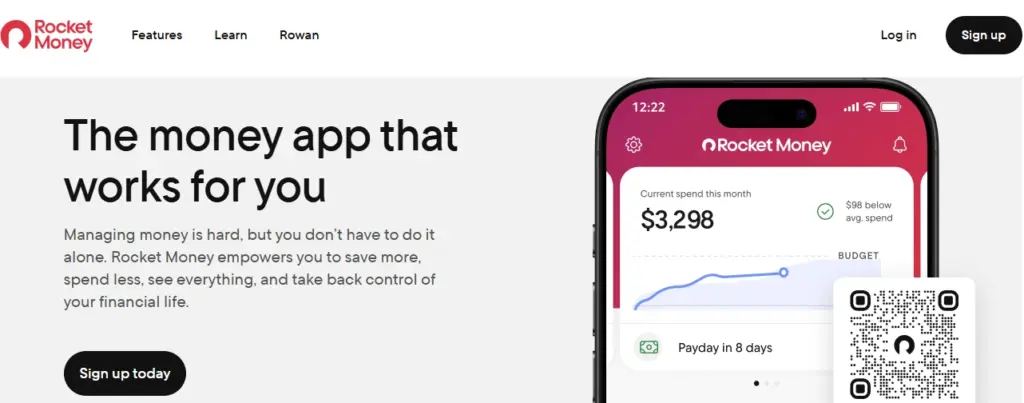
Rocket Money (formerly Truebill) links to your bank accounts, flags recurring charges automatically, and offers to cancel or negotiate bills on your behalf, alongside basic budgeting and net-worth tracking.
What it costs
A free tier covers account linking, spend tracking and two custom budget categories. Premium uses a “pay what you think is fair” model, typically $7–$14/month ($84–$168/year), with every price point unlocking the same features. A Premium+ tier costs $15/month and adds an AI chat assistant called Rowan. Bill negotiation is a separate service, open to free users too, and costs 35–60% of your first year’s savings — only if it succeeds.
How it can save you money
Automated detection of subscriptions you’ve forgotten about, concierge-style cancellation, and negotiated reductions on bills like phone or cable plans.
What the evidence says
No independently verified average-savings figure exists for Rocket Money; the numbers you’ll see quoted are either the company’s own or individual user anecdotes. What is documented, repeatedly, across multiple 2026 reviews, is a cancellation friction problem: several reviewers report that Rocket Money’s in-app “cancel” flow routes users to their phone’s own subscription settings rather than cancelling directly, and describe users being charged again after believing a cancellation had gone through.
The maths
If you’re paying $10/month, you need to find at least $10/month in cancelled subscriptions or negotiated savings just to break even — before the 35–60% cut that bill negotiation takes off anything it successfully negotiates.
Who it's best for
People juggling several accounts who know they’re paying for at least one or two things they’ve forgotten about, and who will actually act on what the app finds.
Who should skip it
Anyone who already checks their bank statement monthly. The free tier shows you the same forgotten subscriptions Premium does — it just won’t press cancel for you.
Verdict
The free plan is the real product here. Premium is worth it only if letting someone else handle cancellation and negotiation is worth more to you than the fee — and even then, be ready to finish the cancellation yourself if the in-app flow stalls.
A chat-based budgeting app with a comedic AI personality (“Roast Mode” and “Hype Mode”), automated micro-savings, and optional cash advances.

What it costs
Cleo restructured its tiers in 2026, and third-party reviews don’t fully agree on the current numbers — most recent sources put it at a free tier plus Grow ($2.99/month), Plus ($5.99/month), Pro ($8.99/month) and Builder ($14.99/month), though some older reviews cite different figures entirely. Check Cleo’s in-app pricing before subscribing, since tiers have clearly moved around.
How it can save you money
Automated round-up-style saving, spending commentary intended to change behaviour, and a cash advance positioned as a cheaper alternative to a payday loan or overdraft fee.
What the evidence says
This is the clearest case in this article for checking the record before you subscribe. In March 2025, the US Federal Trade Commission reached a $17 million settlement with Cleo AI over allegations that it advertised same-day cash advances “of hundreds of dollars” that almost no consumers actually received, charged an “express fee” of $3.99–$14.99 for faster transfers that wasn’t clearly disclosed upfront, and made it difficult for users to cancel — with the FTC alleging Cleo told some users their systems “would not allow” cancellation while an advance was outstanding. The settlement requires Cleo to clearly disclose subscription terms, get informed consent before charging, and provide a straightforward cancellation path. Cleo’s connection to your bank is read-only via Plaid, meaning it can’t move your money without your say-so, and deposits in its savings product are FDIC-insured through a partner bank — those security basics aren’t in dispute.
The maths
At $5.99/month ($71.88/year), you’re paying more than a coffee subscription for occasional access to a cash advance that, per the FTC’s findings, has often paid out less than advertised.
Who it's best for
People who want a conversational nudge to notice their spending and will treat the cash advance as an emergency backstop, not a habit.
Who should skip it
Anyone signing up specifically for the advertised cash advance amount, or anyone who’s read the paragraph above and would rather avoid the friction.
Verdict
The free chat-based coaching is harmless. Read the FTC settlement before paying for the cash-advance tiers.
Links to a UK bank account and uses an algorithm — marketed as AI — to calculate how much you can afford to set aside, then moves it automatically into savings or investments.

What it costs
A free Basic tier (auto-save, roughly 3.05% AER on an easy-access pocket, and a Cash ISA). Paid tiers run Plus £3.99/month, Boost £7.99/month, Max £14.99/month (about $5.40, $10.80 and $20.25 respectively at recent exchange rates), each unlocking a higher headline interest rate plus more automation. Anything invested also carries separate fund and platform fees on top.
How it can save you money
It’s a behavioural tool, not a financial one — it only “saves” you anything if the money it moves is money you would otherwise have spent.
What the evidence says
No independent study confirms Plum’s algorithm outperforms a simple standing order into a savings account. What is calculable directly from Plum’s own published rates is the value of the interest uplift between tiers.
The maths
The gap between free Basic (3.05% AER) and top-tier Max (3.65% AER) is 0.60 percentage points. To earn back Max’s £179.88 annual fee from that uplift alone, you’d need roughly £30,000 parked in the account — far more than most people using an auto-save app are likely to hold there. Below that balance, upgrading is a net cost, not a saving.
Who it's best for
People who know they won’t manually transfer money into savings and want it handled automatically. The free tier already does this.
Who should skip it
Anyone upgrading specifically to chase a better interest rate — a standalone easy-access account or Cash ISA from a mainstream UK bank will often match or beat Plum’s rate with no subscription attached.
Verdict
Try the free Basic tier first. The paid tiers rarely earn back their cost unless you’re using the investment features seriously and understand the extra layer of fund fees involved.
Aggregates bank accounts, cards and investments into one dashboard, flags subscriptions, and offers budgeting tools.
What it costs
A free tier limited to around two connected accounts. Apple’s App Store listing states prices “start at £4.99/month,” with reviewer sources citing Pro at roughly £9.99/month and Ultimate around £14.99/month (or about £10.42/month if billed annually) — figures vary somewhat between reviewers, likely reflecting promotions or recent tier changes, so check Emma’s own pricing screen before committing.
How it can save you money
Subscription detection and cross-account visibility, similar in principle to Rocket Money.
What the evidence says
Independent reviewers are consistently lukewarm about paying for Emma specifically. Multiple 2026 reviews note that features many people expect as standard — connecting more than two accounts, renaming or categorising transactions — sit behind a paywall that free UK competitors, such as Snoop, give away.
The maths
At roughly £4.99/month (£59.88/year), you need to find under £5 a month in savings or forgotten charges to break even — realistic for someone with three or more accounts, but only if you wouldn’t have spotted the same charges using a free alternative.
Who it's best for
UK/EU users who want a single polished dashboard across several accounts and are happy to pay for the interface.
Who should skip it
Anyone with two or fewer accounts (the free tier already covers you), or anyone comparing purely on price.
Verdict
A genuinely capable app with an aggressive upsell strategy. Try the free tier and a free alternative like Snoop before paying.
| Tool | Cost | Reported/Verified Savings | Estimated Net Savings | Free Plan | Global Availability |
|---|---|---|---|---|---|
| Rocket Money | $7–$15/mo ($84–$180/yr) | No reliable independent average found; negotiation service keeps 35–60% of what it wins | Positive only if cancelled/negotiated savings exceed the fee | Yes (tracking only) | US-focused |
| Cleo | Free–$14.99/mo | FTC found advertised cash-advance amounts were often not received (2025 settlement) | Likely negative on paid tiers unless used purely for the free coaching | Yes | US, UK |
| Plum | Free–£14.99/mo (~$0–$20/mo) | No independent figure; rate uplift is calculable | Negative below roughly £30,000 balance | Yes | UK/EU |
| Emma | Free–£14.99/mo (~$0–$20/mo) | No independent figure found | Positive mainly with 3+ linked accounts | Yes (limited) | UK/EU, limited US |
Best AI Tools for Smarter Shopping (Coupons, Price Tracking, Deal Timing)
This category is mostly free to use, which changes the maths — there’s no subscription to break even against. The trade-off shows up elsewhere: in your data, or in whether the tool is really showing you the best deal.
A free browser extension and app that automatically searches for and applies coupon codes at checkout, tracks prices, and offers optional cashback-style rewards through an “Exclusive Deals” programme. You don’t need a Capital One account or card to use it.
What it costs
Free, with no subscription tier.
How it can save you money
Better price discovery through automated coupon-code testing at checkout, plus optional loyalty-style rewards.
What the evidence says
App-store ratings are high (4.8–4.9 out of 5 across large review counts), but the most detailed savings figures circulating online — including specific dollar totals from individual purchases — come from one reviewer’s self-reported running total, not an independent study. Treat any specific savings figure you see quoted as anecdotal rather than a typical outcome.
The maths
Since it’s free, there’s no subscription to break even against. Any successful coupon is a straightforward saving; the real “cost” is the shopping and browsing data the extension collects, which is worth weighing before installing it.
Who it's best for
US-based online shoppers comfortable with a browser extension that watches checkout pages.
Who should skip it
Shoppers who already rely on a loyalty or cashback programme the extension might override, or anyone uneasy about a large financial company tracking their browsing.
Verdict
Worth having installed since it costs nothing, but don’t plan around any specific savings total — treat every discount as a bonus.
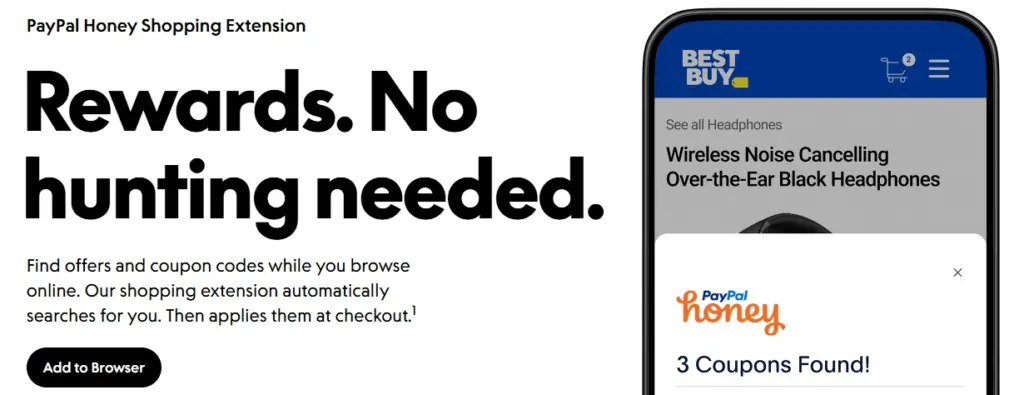
A free browser extension, owned by PayPal, that automatically searches for and applies coupon codes at online checkout.
Why it's here as a caution rather than a recommendation
Honey has been the subject of a consolidated class-action lawsuit in US federal court since 2025. Plaintiffs allege — among other things — that Honey suppressed better available discount codes in favour of codes from retailers who pay for placement, and diverted affiliate commissions that would otherwise have gone to content creators, through a mechanism a later amended complaint calls a “secret tab.” PayPal has won several rulings in the litigation, including dismissal of a privacy-related claim in mid-2026, but the core commission-diversion allegations remained active as of September 2026. None of this has been proven in court, and PayPal disputes the allegations — but the litigation is real and ongoing, not settled history.
Setting the lawsuit aside, there’s a structural point worth understanding about any coupon extension: you have no way, from inside the app, to independently verify that the code it applies is genuinely the best one available rather than the one that pays the extension the most.
Verdict
Free coupon tools that take a cut of your purchase aren’t automatically bad, but “it found me a code” isn’t proof it found you the best code. It’s worth cross-checking a second tool, or a quick search for the retailer’s name plus “promo code,” before assuming one extension has done the job.
Predicts whether an airfare or hotel price is likely to rise or fall and recommends buying now or waiting, with an optional paid “Price Freeze” that locks a fare for a fee.

What it costs
Free to search and get predictions; Price Freeze typically costs a few dollars up to around $20 depending on the route and fare, and the fee is not refunded if you don’t book or if the price falls anyway.
What the evidence says
Hopper’s own marketing claims 95% prediction accuracy for flights booked up to a year out — this figure is self-reported by the company and, per at least one third-party analysis, lacks independent verification. Other secondary sources cite outside studies putting real-world accuracy lower, particularly for last-minute bookings, though we found no single, methodologically transparent, independently published audit of Hopper’s predictions. Treat both the 95% marketing figure and any specific lower number you see quoted as estimates rather than settled fact.
The maths
Price Freeze only pays off if the fare rises by more than the freeze fee before you book. If the fare drops or you don’t book at all, you lose the fee — it behaves like insurance, not a discount.
Who it's best for
Flexible travellers booking well ahead on major, high-traffic routes, using it as one input alongside — not instead of — a direct search on Google Flights.
Who should skip it
Anyone booking a fixed date on a thin or long-haul international route, where predictions are consistently weaker.
Verdict
Useful as a second opinion, not as the final word on when to buy. Cross-reference with at least one other tool before trusting a “wait” recommendation on an expensive booking.
Bonus: AI Tools That Save Money for Bloggers, Freelancers and Small Creators
Two more tools don’t fit neatly into “personal finance,” but they cut a real, recurring cost for anyone publishing content online: paying a writer, and paying for stock photos. Both work as a short workflow rather than a single app.
Claude for SEO blog writing (instead of a content writer)
Workflow: research the top 5–10 ranking pages for your topic → note their subtopics and gaps → paste that into Claude → ask it to spot what’s missing and verify competitors itself via web search → build an outline together over 2–3 rounds → ask Claude to write the full post from that outline, with clear instructions on tone, length and formatting. Model: Sonnet 5, Effort: Medium.
Cost: Free ($0) or Pro ($20/mo, ~5x the usage).
| Alternative | Typical Cost | vs. Claude Pro |
|---|---|---|
| Freelance writer, 4 posts/mo | $1,000–$1,600/mo | Saves $11,700–$19,000/yr |
| Jasper + Surfer SEO stack | ~$150/mo | Saves $1,560/yr |
*Calculated from 2026 freelance rate data and tool pricing — not a guaranteed outcome.
Best for bloggers and small businesses handling their own content. Skip it for regulated niches (medical, legal, financial) or anything needing guaranteed rankings — a draft still needs a human review pass, same as a freelancer’s would.
Gemini's Nano Banana 2 for images (instead of stock photos)
Workflow: describe the image you want → ask free ChatGPT to turn it into a proper image prompt → paste that prompt into Gemini, which generates it with Nano Banana 2 (Gemini 3.1 Flash Image) → ask for edits if it needs refining.
Cost: Free (~20 images/day) or Google AI Pro ($19.99/mo for a much higher allowance).
| Replaces | Typical Cost | Saving |
|---|---|---|
| Adobe Stock / Shutterstock, ~10 images/mo | $300–$360/yr | ~$300–$360/yr |
| Higher-volume stock plan | $540–$800+/yr | ~$540–$800+/yr |
*Calculated from Adobe Stock and Shutterstock’s published pricing — depends on your image volume.
Good for headers, social graphics and mockups. Skip it for real people, a specific real product or location, or ad/editorial work needing licensed indemnification — and check Google’s current terms before commercial use.
Best AI Tools for Investing, Tax, and Debt Payoff
This is higher-stakes territory, so treat every figure below as a starting point for your own research rather than a recommendation. Nothing in this section is personalised investment, tax or debt advice — these are tools that can assist with research, organisation and calculation, and none of them should replace a qualified financial adviser, accountant or tax professional for anything beyond routine, low-complexity situations.
US robo-advisors: Betterment and Wealthfront
Build and automatically rebalance a diversified investment portfolio, and — on taxable accounts — run ongoing tax-loss harvesting.
What they cost
Both charge 0.25% a year on invested assets for their core digital plan. Betterment switches to a flat $5/month on balances under $24,000 unless you set up a recurring deposit of $200+/month, and offers a higher-fee tier with access to human CFP-certified advisors for larger balances. Wealthfront holds its 0.25% fee at any balance but requires $500 to open an account and has no human-advisor tier at any price. Add underlying ETF expense ratios of roughly 0.05–0.15% on top of either platform’s management fee.
How they could save you money
By automating decisions people otherwise delay — getting idle cash invested, rebalancing without being asked, and harvesting tax losses consistently, which most DIY investors don’t do reliably on their own.
What the evidence says
compared with doing it yourself, this category is not really a savings tool. A single low-cost index fund typically costs 0.03–0.10% a year — noticeably less than 0.25% plus fund fees. The honest case for paying the extra roughly 0.15–0.20 percentage points is convenience and automated tax-loss harvesting, not a lower price than DIY investing.
The maths
On a $50,000 balance, 0.25% is $125/year, versus perhaps $15–$50/year in a comparable low-cost index fund — an extra $75–$110/year. It becomes a genuine saving mainly if the realistic alternative is a traditional human adviser charging around 1%/year (roughly $500/year on the same balance), or leaving the money in a low- or no-interest account indefinitely.
Who it's best for
People who would otherwise leave money sitting in cash, or who are currently paying a traditional adviser’s higher fee for routine, non-complex investing.
Who should skip it
Confident DIY investors — a single low-cost index or target-date fund will almost always undercut a robo-advisor on price.
Verdict
Not a money-saving tool relative to DIY investing. It is one relative to a traditional financial adviser, and a useful nudge relative to doing nothing at all.
UK: J.P. Morgan Personal Investing (formerly Nutmeg)
The same robo-advisor model, FCA-regulated, with ISA, Lifetime ISA, Junior ISA and pension wrappers. Nutmeg rebranded to J.P. Morgan Personal Investing in late 2025 following JPMorgan’s 2021 acquisition of the company; it’s the same underlying platform under a new name, not a wind-down.
What it costs
A management fee of roughly 0.25–0.75% a year depending on the portfolio style chosen, plus underlying fund costs (roughly 0.15–0.35%) and market spread (roughly 0.04–0.09%) — landing at an approximate all-in cost of around 0.65–1.0% a year for a Fully Managed portfolio.
What the evidence says
Reviewers consistently point out that a DIY Vanguard Stocks & Shares ISA holding a comparable global equity index fund costs roughly 0.30% all-in — under half the Fully Managed rate.
The math
One detailed reviewer breakdown put the fee gap between Nutmeg’s Fully Managed portfolio (around 0.95% all-in) and a DIY Vanguard fund (around 0.30%) at roughly 0.65 percentage points — about £325/year on a £50,000 portfolio today, compounding to an estimated £9,000–£13,000 difference over 20 years at typical market returns. That figure is a projection based on assumed future returns, not a guarantee.
Verdict
The same logic as the US comparison — worth it mainly if the alternative is inaction or a pricier human adviser, not if the alternative is a DIY index fund.
India: the highest-value move usually isn't an AI tool at all
Rather than a specific AI product, the single most reliable money-saving move available to Indian mutual fund investors is choosing a direct plan over a regular plan. Regular plans route an ongoing distributor commission into the fund’s expense ratio; direct plans skip it, and that gap compounds meaningfully over a long holding period. Apps like Groww, Zerodha Coin and INDmoney can execute this switch. No AI is required to capture this saving — it’s worth checking before paying extra for any app that markets itself as an “AI-powered” investment optimiser in the Indian market.
For everyday tracking, apps such as INDmoney, Jupiter and Fi Money connect via India’s RBI-regulated Account Aggregator (AA) framework, which requires explicit, revocable consent for each data-sharing action rather than handing over banking credentials directly — a meaningfully safer model than typing your net-banking password into a third-party app.
US tax filing: TurboTax's Intuit Assist and H&R Block's AI Tax Assist
Chat-based AI layered onto existing tax-prep software, answering questions and flagging possible deductions as you file.
What they cost
Bundled into existing paid tiers, which range from a genuinely free option for simple returns up to well over $100 for complex returns plus state filing, depending on the provider and tier.
What the evidence says
Both major US tax-prep providers have faced regulatory scrutiny over how “free” filing is advertised. In a finalised order covering the 2025 and 2026 tax seasons, the FTC required H&R Block to pay $7 million, disclose clearly that most taxpayers don’t qualify for its free product, stop deleting users’ entered data when they downgrade to a cheaper tier, and let people downgrade without having to call customer service.
The maths
The AI layer itself carries no separate price tag — the number worth calculating is whether you qualify for a genuinely free filing tier (via the provider directly, or via free-filing programmes where available) before paying for a tier partly because it happens to include AI chat.
Verdict
Useful for catching an overlooked deduction on an already-complex return; not a reason on its own to upgrade from a free tier. Check your eligibility for free filing first.
A note on debt-payoff apps
The debt-payoff app market has been genuinely unstable, and it’s worth knowing that before trusting one with your repayment plan. Tally, a well-reviewed app offering a credit line to consolidate card debt, shut down in August 2024 after burning through more than $200 million in funding — leaving users’ outstanding balances transferred to an unfamiliar new servicer. Mint, Prism, Clarity Money, Debitize and Level Money have all shut down or been folded into other products in roughly the same period.
This doesn’t mean debt-payoff tools are worthless. It means a free, low-dependency option — a web-based planner like Undebt.it, or a simple avalanche/snowball spreadsheet — carries less platform risk than routing your actual debt repayment through a fintech startup, because if the company disappears, your underlying debt hasn’t been restructured through it and you’re not left chasing a new servicer.
Verdict
For debt strategy specifically, a free calculator plus your bank’s own repayment tools carries less risk than a subscription app promising to manage the relationship for you.
The Other Side — Are Your AI Subscriptions Costing You More Than They Save?
Before paying for another AI money-saving app, it’s worth auditing the AI subscriptions you’re already carrying.
What your AI stack actually costs
By 2026, ChatGPT Plus, Claude Pro and Google AI Pro (formerly Gemini Advanced) have all converged on roughly $20/month each. Stack three of them and you’re at ~$60/month, or about $720/year — before Midjourney, Perplexity, Grok or anything else. One 2025 industry survey found the average American AI subscriber pays for around four AI products at roughly $66/month (about $792/year), with 14% paying for eight or more.
Run this audit
Monthly AI spend × 12 = annual AI spend
Then ask, honestly, for each one: what measurable financial benefit did this subscription provide?
A $20 AI subscription that saves you $5 worth of time isn’t saving you money — it’s costing you $15. That’s not a criticism of AI tools; it’s the same maths this whole article applies to everything else.
The bigger subscription blind spot
This connects to a wider pattern worth knowing about: research on general subscription spending shows people consistently underestimate what they’re paying. One widely cited industry survey (C+R Research) found people itemising every recurring charge averaged $219/month, while the same people, asked to estimate off the top of their head, guessed only $86/month — a $133/month gap. Other surveys report lower headline figures (one 2026 consumer survey put typical paid-subscription spend at $35/month), which likely reflects a narrower definition of “subscription” and self-reported recall rather than a full statement audit. The pattern across nearly every source, regardless of the exact number: itemised, statement-by-statement audits consistently find more spending than people remember off the top of their head.
A free 15-minute version of the audit
- Pull up one full bank/card statement.
- Circle every recurring charge, however small.
- For each one, ask: would I sign up for this again today, at this price?
- Cancel anything you wouldn’t.
That’s most of what a paid subscription-tracking app does — manually, for free, in about fifteen minutes.
Free AI Chatbots as Money-Saving Tools (With Prompts You Can Use Today)
You don’t need a dedicated financial AI app to get real value out of AI for your money — a free general-purpose chatbot can do a surprising amount of this work if you give it clear, specific prompts.
Six prompts to copy and adapt
1. Spending audit
“Here’s a list of my transactions from the last month: [paste category and amount only — no account numbers]. Group them into categories, tell me my three biggest categories, and flag anything that looks like a duplicate charge or a subscription I might have forgotten.”
2. Subscription audit
“Here are my recurring monthly charges: [list names and amounts]. For each one, ask me one question that would help me decide if I still need it, then summarise which ones I should seriously consider cancelling.”
3. Grocery budget review
“My household of [number] spends about $X a month on groceries. Suggest a realistic weekly budget and three practical ways to reduce the bill without cutting nutrition.”
4. Compare recurring expenses
“I currently pay $X/month for [service A]. I’m considering switching to [service B] at $Y/month. List what I’d gain and lose, and calculate the exact annual cost difference.”
5. Build a cheaper monthly budget
“My monthly take-home income is $X. Here’s my current spending by category: [list]. Suggest an adjusted budget for my situation and flag any category that looks unusually high compared with typical guidelines.”
6. Prepare for a renewal or provider call
“My [insurance/utility] renewal quote just went up from $X to $Y a year with [provider]. Help me write three specific questions to ask about the increase, and a checklist of information I should have ready before I shop around.”
What these prompts can't do
- A general-purpose chatbot usually has no live access to your actual bank transactions unless you’ve explicitly connected one via a specific tool or feature — you’re feeding it information, not the other way round.
- AI can make mistakes, including with arithmetic and with specific prices, interest rates or fees. Check anything that will affect a real decision.
- Never paste full account numbers, passwords, card numbers or other sensitive credentials into any chatbot.
- Treat AI output as a starting point for your own decision, not a final answer, especially for anything involving debt, tax or investing.
How to Spot AI Money-Saving Tools That Are Actually Money-Losing Tools
Most of these show up in the tools already covered above — here’s the pattern to watch for in anything new you’re considering.
- Vague savings claims with no working shown. “Save up to $500 a year” with no explanation of what that’s based on is a marketing number, not a forecast for you.
- “Free” products with aggressive monetisation elsewhere. If a tool is free, understand how it makes money — commission on the coupons it applies, selling anonymised spending data, or upselling a paid tier through constant prompts.
- Difficulty cancelling. Multiple companies in this article — Cleo and H&R Block among them — have faced formal regulatory action specifically over making cancellation or downgrading harder than signing up. Before you subscribe to anything, look up how to cancel it.
- Success fees that take a large cut. Bill-negotiation and similar services that keep 35–60% of what they save you aren’t inherently a scam, but they mean the “savings” figure you’re shown overstates what actually reaches your account.
- Financial products bundled with the “free” tool. Cash advances, credit-builder cards and investment products often carry their own fees that are separate from, and can exceed, the headline subscription price.
- No clear answer on data access permissions. A legitimate tool using Open Banking (UK) or an Account Aggregator (India) or Plaid (US) should never need your actual online banking password. If it asks for that directly, stop.
- A savings claim with no comparison point. “Save money on flights” means nothing without a comparison to what you’d have paid searching yourself.
- Platform risk. Tally, Mint, Prism, Clarity Money, Debitize and Level Money have all shut down or been absorbed since 2024. A tool that manages an ongoing financial relationship (debt repayment, investing) carries more risk if it disappears than one that simply shows you information.
What to look for instead: read-only access wherever possible, clearly stated permissions, regulated status you can verify independently (FCA register in the UK, state licensing or FTC history in the US, RBI/SEBI registration in India), a transparent privacy policy, and an easy, visible way to disconnect your accounts and cancel.
How to Actually Start (Without Downloading 10 Apps)
A six-step plan that doesn’t involve installing everything on this page at once.
- Step 1: Pick one financial problem. Overspending, forgotten subscriptions, grocery costs, investing inertia, debt, or travel — choose the one costing you the most right now, not the one with the flashiest app.
- Step 2: Choose one tool. Don’t install three overlapping subscription trackers “to compare.” Pick the one best matched to your problem from the sections above and commit to it for a month.
- Step 3: Record your baseline. Before you start, write down what you’re currently spending in that category — from your last statement, not from memory. Remember the $219 vs $86 gap above: memory consistently underestimates.
- Step 4: Run a 30-day test. Use the tool as intended. Note anything it finds or changes, and how much time it actually takes you to manage it.
- Step 5: Calculate net savings. Money saved − tool cost = net financial benefit. If it took real time to set up or maintain, weigh that against what your time is worth to you.
- Step 6: Keep, downgrade or cancel. If the net benefit is clearly positive and you’ll keep using it, keep it. If it’s roughly break-even, downgrade to the free tier if one exists. If it’s negative, or you didn’t actually open the app more than a couple of times, cancel it before the next billing date — and set a calendar reminder to do so, given how many of the subscriptions in this article rely on people forgetting to.
The Bottom Line
Based on the evidence gathered here, the tools most likely to earn their keep in 2026 fall into three categories: free subscription/coupon tools used as intended (a free budgeting-app tier, a free coupon extension, a free AI chatbot audit), automated investing at 0.25%/year if the realistic alternative is cash or a pricier human adviser, and bill-negotiation or cancellation services, used sparingly, with the success fee factored in before you celebrate the “savings.”
Paying for an AI money-saving tool doesn’t make financial sense when the free tier already does the job you actually need, when your balance or spending is too small for the paid tier’s extra features to earn back its fee, or when the tool’s core value proposition — a cash advance, a “guaranteed” savings percentage — has already drawn formal regulatory scrutiny for overpromising.
Start with one tool. Measure what it actually saves you. Subtract what it costs. Keep it only if the numbers work.
Frequently Asked Questions (FAQ)
Do AI money-saving tools actually work, or is it marketing?
Both, depending on the tool. Some — free coupon extensions, a well-used subscription tracker — can produce real, if modest, savings. Others charge a subscription that exceeds any realistic saving. The honest answer is tool-by-tool, not category-wide: check the free tier first and calculate your own break-even point before paying.
Are AI budgeting apps safe to connect to my bank account?
Generally yes, if the app uses a regulated connection method — Open Banking in the UK, the Account Aggregator framework in India, or Plaid in the US — with read-only access. Avoid any app that asks for your actual online banking username and password directly, and check the provider’s regulatory status before connecting.
What's the best free AI tool to save money in 2026?
There’s no single winner, but a general-purpose AI chatbot combined with your own bank statement (see the prompts above) costs nothing and covers spending audits, subscription reviews and budget planning. For subscription tracking specifically, the free tiers of Rocket Money (US) or Snoop (UK) do most of what paid tiers offer.
Can AI tools replace a financial advisor?
Not for anything beyond routine situations. AI and robo-advisor tools can automate basic investing, flag deductions, and organise information, but none of the tools in this article are a substitute for a qualified, regulated adviser or accountant for complex tax, retirement or major financial decisions.
Do AI money-saving apps work outside the US?
Many are US-only or have limited functionality elsewhere, despite “global” marketing. Always check a specific tool’s country-availability page — not just whether you can download it — before assuming it will work with your bank, currency or local financial products.

Robert Lawrence
Author | Specialises in E-Learning.
Robert Lawrence is an author at Training Express, with over 5 years of experience creating practical resources and strategies to support learners and enhance their professional & personal development.
Reviewed by: Andrew Sheffert, Ai Specialist at Training Express