Python GUI Development with Tkinter: Build Pro Desktop Apps!

4.9 (18 REVIEWS)
12 STUDENTS

GET THIS COURSE AND 2500+ OTHERS FOR ONLY £49 FIND OUT MORE

Python GUI Development with Tkinter Build Pro Desktop Apps! teaches you everything on the topic thoroughly from scratch so you can achieve a professional certificate for free to showcase your achievement in professional life. This Python GUI Development with Tkinter Build Pro Desktop Apps! is a comprehensive, instructor-guided course, designed to provide a detailed understanding of the nature of the related sector and your key roles within it.

To become successful in your profession, you must have a specific set of skills to succeed in today’s competitive world. In this in-depth training course, you will develop the most in-demand skills to kickstart your career, as well as upgrade your existing knowledge & skills.

The training materials of this course are available online for you to learn at your own pace and fast-track your career with ease.

Sneak Peek

Who should take the course

Anyone with a knack for learning new skills can take this Python GUI Development with Tkinter Build Pro Desktop Apps! While this comprehensive training is popular for preparing people for job opportunities in the relevant fields, it also helps to advance your career for promotions.

Certification

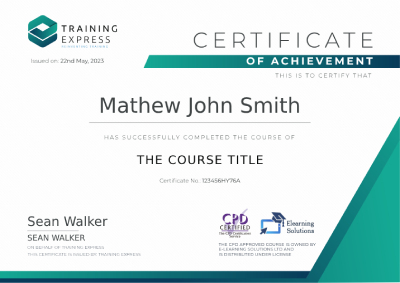
Once you’ve successfully completed your course, you will immediately be sent a digital certificate. Also, you can have your printed certificate delivered by post (shipping cost £5.99). All of our courses are fully accredited, providing you with up-to-date skills and knowledge and helping you to become more competent and effective in your chosen field. Our certifications have no expiry dates, although we do recommend that you renew them every 12 months.

functional skills maths level 2

Accreditation

All of our courses, including this Python GUI Development with Tkinter Build Pro Desktop Apps! are fully accredited, providing you with up-to-date skills and knowledge and helping you to become more competent and effective in your chosen field.

Course Curriculum

The detailed curriculum outline of our Python GUI Development with Tkinter Build Pro Desktop Apps! is as follows:

  • What is Tkinter?
  • Getting Started with Tkinter
  • Basic structure of a Tkinter program
  • Course Materials
  • Introduction to widgets
  • The Label Widget
  • The Entry Widget
  • The Button Widget
  • The Checkbutton Widget
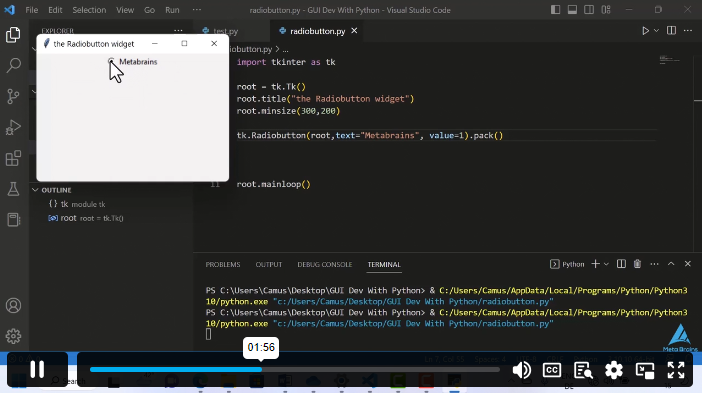
  • The Radiobuttton
  • Drawing with Canvas
  • Widgets in Window with the frame widget
  • Making a List with the Listbox
  • Let’s make a Menu
  • Menu with Menubutton
  • Multiple lines with Message
  • The Scale like a thermometer
  • Scrolling Through a List
  • The Text widget
  • The Toplevel Application
  • The Spinbox Widget
  • Dividing with panes
  • Grouping labels with Labelframe
  • Messagebox and desktop prompts
  • Introduction to Attributes
  • Dimensions
  • Colours
  • Attention and Fonts
  • Widgets Anchors
  • Relief Styles
  • Bitmaps
  • Cursors
  • The .pack() geometry manager

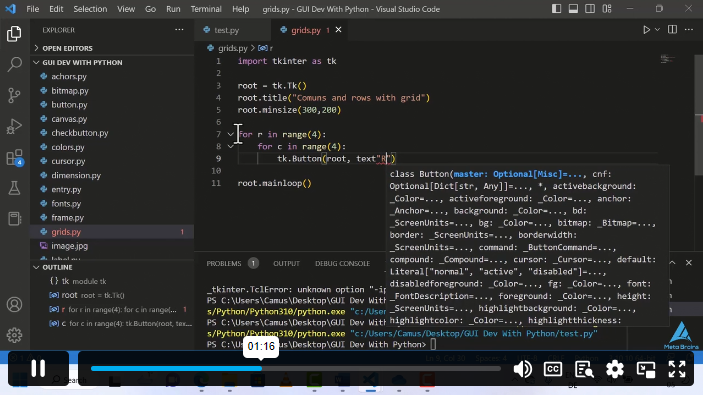
  • The .grid() geometry manager
  • The .place() geometry manager
  • Conclusion

Course Curriculum

Tkinter: The Cross-platform GUI Library
What is Tkinter? 00:02:00
Getting Started with Tkinter 00:03:00
Basic structure of a Tkinter program 00:04:00
Course Materials 00:00:00
The Building Blocks of Tkinter (Part 1)
Introduction to widgets 00:02:00
The Label Widget 00:10:00
The Entry Widget 00:05:00
The Button Widget 00:04:00
The Checkbutton Widget 00:04:00
The Radiobuttton 00:05:00
Drawing with Canvas 00:10:00
Widgets in Window with the frame widget 00:04:00
Making a List with the Listbox 00:05:00
Let’s make a Menu 00:11:00
Menu with Menubutton 00:03:00
The Building Blocks of Tkinter (Part 2)
Multiple lines with Message 00:04:00
The Scale like a thermometer 00:05:00
Scrolling Through a List 00:03:00
The Text widget 00:04:00
The Toplevel Application 00:06:00
The Spinbox Widget 00:02:00
Dividing with panes 00:03:00
Grouping labels with Labelframe 00:04:00
Messagebox and desktop prompts 00:08:00
Giving a UI identity to each Element
Introduction to Attributes 00:03:00
Dimensions 00:05:00
Colours 00:03:00
Attention and Fonts 00:05:00
Widgets Anchors 00:02:00
Relief Styles 00:05:00
Bitmaps 00:04:00
Cursors 00:03:00
Placing Widgets Element at Their Right Place on the Application window
The .pack() geometry manager 00:04:00
The .grid() geometry manager 00:03:00
The .place() geometry manager 00:02:00
Putting Everything Together Through a Real life Project
Project Calculator 00:04:00
Conclusion
Conclusion 00:06:00
Python GUI Development with Tkinter: Build Pro Desktop Apps!
ex Vat

SAVE 84% - OFFER ENDS SOON

TAKE THIS COURSE
  • Original price was: £125.00.Current price is: £20.00. ex Vat
  • 1 year
  • Course Certificate
  • 2 hours, 40 minutes
  • Gift this course
£20 /Unit Price
Total:
£100.00
Quantity:

Buying more than one of the same courses?

  • 50% discount for orders of 10+ courses
  • 60% discount for orders of 50+ courses
  • 70% discount for orders of 100+ courses

Looking for a more personalised package?

contact us now
12 STUDENTS ENROLLED