Food Hygiene
 Health & Safety
 Safeguarding
 First Aid
 Business Skills
 Personal Development


Course Curriculum
| Introduction to HTLM5 & Setting things up | |||
| Introduction to HTML5 | 00:02:00 | ||
| Features of HTML5 | 00:01:00 | ||
| Benefits of using HTML5 | 00:01:00 | ||
| Where and how is HTML5 used? | 00:01:00 | ||
| HTML5 editors | 00:01:00 | ||
| Downloading Visual Studio Code | 00:02:00 | ||
| Course Materials | 00:00:00 | ||
| Structure of an HTML5 file | |||
| What are HTML tags? | 00:02:00 | ||
| Structure of an HTML5 file | 00:03:00 | ||
| File and folder structure | 00:01:00 | ||
| How to create an HTML5 file? | 00:02:00 | ||
| HTML5 basic building blocks | |||
| Heading Tags in HTML | 00:03:00 | ||
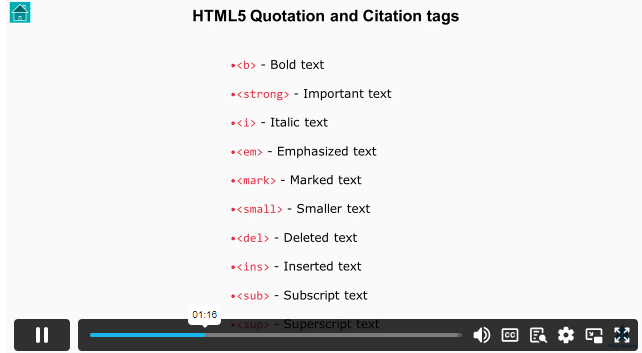
| HTML5 Quotation and Citation tags | 00:04:00 | ||
| Commenting out code in HTML5 | 00:02:00 | ||
| HTML5 attributes | 00:02:00 | ||
| How to style in HTML5 | 00:02:00 | ||
| Exploring HTML5 tags | |||
| What are anchor tags? | 00:04:00 | ||
| What are image tags? | 00:06:00 | ||
| What are paragraph tags? | 00:03:00 | ||
| What are break tags? | 00:02:00 | ||
| What are table tags? | 00:06:00 | ||
| List Tags | 00:04:00 | ||
| Video Tag | 00:03:00 | ||
| Audio Tag | 00:01:00 | ||
| Building a Form from Scratch | |||
| Form tags | 00:06:00 | ||
| Input Types | 00:07:00 | ||
| Input attributes (size, read-only, disabled) | 00:03:00 | ||
| Additional input attributes (Min, max, multiple, and placeholder) | 00:04:00 | ||
| Required Inputs | 00:01:00 | ||
| Block and Inline Elements | |||
| Introduction | 00:02:00 | ||
| Examining Block and Inline Elements | 00:13:00 | ||
| Conclusion (HTML Part) | |||
| Conclusion | 00:01:00 | ||
| Introduction to CSS3 | |||
| Introduction to CSS3 | 00:02:00 | ||
| Syntax of CSS3 | 00:01:00 | ||
| Uses of CSS3 | 00:04:00 | ||
| Types of CSS3 | 00:07:00 | ||
| Selectors & Colors in CSS3 | 00:08:00 | ||
| Basics Properties of CSS3 | |||
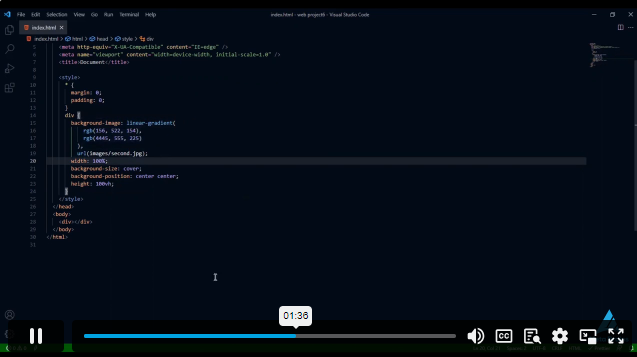
| Background | 00:12:00 | ||
| Borders | 00:04:00 | ||
| Outline | 00:02:00 | ||
| Height and width | 00:04:00 | ||
| Margin and padding | 00:06:00 | ||
| Typography Properties of CSS3 | |||
| Text alignment | 00:03:00 | ||
| Text decoration | 00:03:00 | ||
| Text transform | 00:03:00 | ||
| Text spacing | 00:03:00 | ||
| Font family | 00:07:00 | ||
| How to use font awesome icons | 00:05:00 | ||
| Selectors Properties in Depth of CSS3 | |||
| Display | 00:02:00 | ||
| Positions | 00:06:00 | ||
| Z-index | 00:01:00 | ||
| Overflow | 00:03:00 | ||
| Float | 00:02:00 | ||
| DOM Model | 00:02:00 | ||
| Advanced Selectors | 00:07:00 | ||
| Pseudo-classes Part 1 | 00:10:00 | ||
| Pseudo-classes part 2 | 00:05:00 | ||
| Pseudo-Elements | 00:04:00 | ||
| Extra features in CSS3 | |||
| Opacity and important | 00:03:00 | ||
| Border-radius | 00:03:00 | ||
| Box Shadow | 00:03:00 | ||
| Responsive Design | |||
| Grid System | 00:11:00 | ||
| Flexbox | 00:07:00 | ||
| Media Queries | 00:04:00 | ||
| Mini Project | |||
| Mini Project | 00:15:00 | ||
£20
ex Vat
TAKE THIS COURSE
SAVE 84% - OFFER ENDS SOON
- Original price was: £125.00.£20.00Current price is: £20.00. ex Vat
- 1 year
- Intermediate
- Course Certificate
- 4 hours, 17 minutes Gift this course
Buying more than one of the same courses?
- 50% discount for orders of 10+ courses
- 60% discount for orders of 50+ courses
- 70% discount for orders of 100+ courses
Looking for a more personalised package?
contact us nowInstructors

13 STUDENTS ENROLLED