Food Hygiene
 Health & Safety
 Safeguarding
 First Aid
 Business Skills
 Personal Development

Course Curriculum
| Chapter 01: All About the CompTIA A+ | |||
| What is the CompTIA A+? | 00:02:00 | ||
| Why Get CompTIA A+ Certified? | 00:05:00 | ||
| How to Take the A+ Exam | 00:02:00 | ||
| What’s on the CompTIA A+ Core 1 (220-1101) Exam? | 00:04:00 | ||
| How to Pass the CompTIA A+ Exams | 00:02:00 | ||
| How to Use this Video Course | 00:02:00 | ||
| Chapter 02: Safety and Professionalism | |||
| Tools of the Trade | 00:06:00 | ||
| Troubleshooting Theory | 00:10:00 | ||
| Chapter 03: The Visible Computer | |||
| Primary PC Components | 00:05:00 | ||
| Touring a PC | 00:06:00 | ||
| What Is a Computer? | 00:07:00 | ||
| Chapter 04: CPUs | |||
| What Is a CPU? | 00:15:00 | ||
| Modern CPUs | 00:07:00 | ||
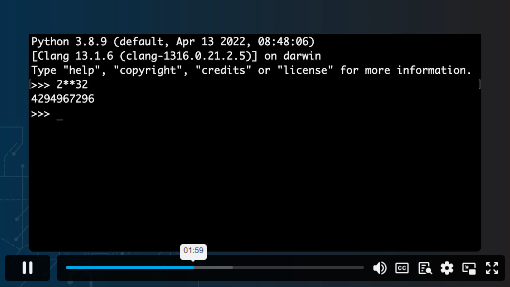
| 32-Bit vs. 64-Bit Computing | 00:05:00 | ||
| CPU Generations and Architecture | 00:06:00 | ||
| Choosing the Right CPU | 00:04:00 | ||
| CPU Cooling | 00:12:00 | ||
| Installing and Troubleshooting a CPU | 00:07:00 | ||
| Chapter 05: RAM | |||
| RAM Technology | 00:10:00 | ||
| RAM Capacity | 00:08:00 | ||
| RAM Features | 00:07:00 | ||
| Virtual Memory | 00:06:00 | ||
| Installing and Troubleshooting RAM | 00:04:00 | ||
| Chapter 06: Firmware | |||
| What Is BIOS? | 00:06:00 | ||
| POST | 00:09:00 | ||
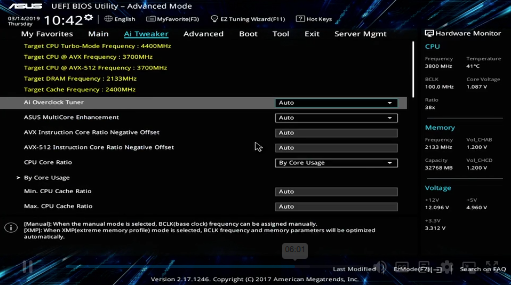
| System Setup | 00:09:00 | ||
| Troubleshooting Firmware | 00:12:00 | ||
| Chapter 07: Motherboards | |||
| Form Factors | 00:06:00 | ||
| Chipsets | 00:05:00 | ||
| Choosing the Right Motherboard | 00:04:00 | ||
| Installing and Troubleshooting a Motherboard | 00:08:00 | ||
| Chapter 08: Power Supplies | |||
| The Power Supply | 00:08:00 | ||
| Choosing a Power Supply | 00:07:00 | ||
| Cooling Your System | 00:04:00 | ||
| Installing and Troubleshooting a PSU | 00:08:00 | ||
| Chapter 09: Mass Storage Technologies | |||
| Introduction to Mass Storage | 00:12:00 | ||
| Magnetic Disk Drives | 00:09:00 | ||
| Solid-State Drives (SSDs) | 00:08:00 | ||
| SCSI | 00:03:00 | ||
| Chapter 10: Implementing Mass Storage | |||
| RAID | 00:11:00 | ||
| Hardware RAID | 00:07:00 | ||
| Software RAID in Storage Spaces | 00:09:00 | ||
| Encrypting Mass Storage | 00:09:00 | ||
| Mass Storage Troubleshooting | 00:08:00 | ||
| Chapter 11: Essential Peripherals | |||
| USB Standards | 00:10:00 | ||
| Understanding USB | 00:11:00 | ||
| Configuring USB | 00:07:00 | ||
| Thunder and Lightning | 00:05:00 | ||
| Optical Media | 00:10:00 | ||
| Readers and Scanners | 00:07:00 | ||
| Common Peripherals | 00:05:00 | ||
| Webcams and Videoconferencing | 00:03:00 | ||
| Installing and Troubleshooting Expansion Cards | 00:05:00 | ||
| Chapter 12: Display Technologies | |||
| Monitor Technologies | 00:08:00 | ||
| LCD Breakdown | 00:04:00 | ||
| Graphics Cards and Connections | 00:13:00 | ||
| Resolutions and Aspect Ratios | 00:06:00 | ||
| Installing a Graphics Card | 00:07:00 | ||
| Multiple Monitors | 00:05:00 | ||
| Projectors | 00:05:00 | ||
| Troubleshooting Display Technologies | 00:05:00 | ||
| Chapter 13: Essentials of Networking | |||
| Introduction to Networking | 00:08:00 | ||
| Hubs vs. Switches | 00:04:00 | ||
| Hexadecimal | 00:07:00 | ||
| WANs and Routers | 00:09:00 | ||
| Cables and Connectors | 00:11:00 | ||
| Crimping Cables | 00:10:00 | ||
| Structured Cabling | 00:12:00 | ||
| Network Card Troubleshooting | 00:09:00 | ||
| Chapter 14: Local Area Networking | |||
| Introduction to TCP/IP | 00:14:00 | ||
| Dynamic IP Addressing | 00:10:00 | ||
| IPv6 | 00:07:00 | ||
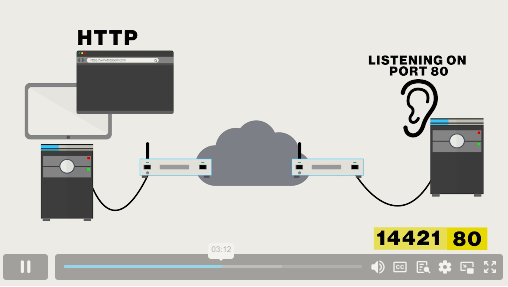
| Port Numbers | 00:12:00 | ||
| TCP, UDP, and ICMP | 00:06:00 | ||
| Understanding DNS | 00:11:00 | ||
| Working with DNS | 00:07:00 | ||
| Routers | 00:11:00 | ||
| Basic Router Configuration | 00:12:00 | ||
| Virtual LANs (VLANs) | 00:08:00 | ||
| Network Troubleshooting | 00:05:00 | ||
| Chapter 15: Wireless Networking | |||
| Wireless Network Hardware | 00:10:00 | ||
| Wi-Fi Standards | 00:09:00 | ||
| It’s a Huge Mesh | 00:04:00 | ||
| Enterprise Wireless | 00:16:00 | ||
| Beyond Wi-Fi | 00:07:00 | ||
| Troubleshooting Wireless Connections | 00:07:00 | ||
| Chapter 16: The Internet | |||
| Beyond the LAN | 00:03:00 | ||
| Internet Tiers | 00:06:00 | ||
| Broadband Connections | 00:11:00 | ||
| Firewalls and Servers | 00:06:00 | ||
| 00:08:00 | |||
| Proxy Servers | 00:13:00 | ||
| Virtual Private Networks (VPNs) | 00:09:00 | ||
| Internet of Things (IoT) | 00:07:00 | ||
| Troubleshooting Internet Connections | 00:07:00 | ||
| Chapter 17: Virtualization | |||
| Understanding Virtualization | 00:10:00 | ||
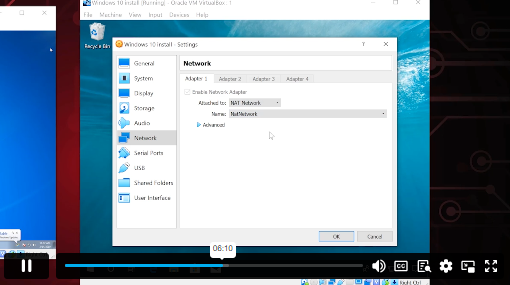
| Your First Virtual Machine | 00:07:00 | ||
| Advanced Virtualization Setup | 00:12:00 | ||
| Cloud Computing | 00:08:00 | ||
| Cloud Ownership | 00:02:00 | ||
| Cloud-Based Applications | 00:06:00 | ||
| Chapter 18: Portable Computing | |||
| Laptop Features | 00:08:00 | ||
| Laptop Hardware Troubleshooting – The Tools | 00:05:00 | ||
| Laptop Hardware – Core Hardware | 00:04:00 | ||
| Laptop Hardware – CPU and Motherboard | 00:07:00 | ||
| Touring Your Laptop Display | 00:04:00 | ||
| Chapter 19: Mobile Devices | |||
| What Is a Mobile Device? | 00:09:00 | ||
| Mobile Connections | 00:10:00 | ||
| Touring Android | 00:10:00 | ||
| Chapter 20: Maintaining and Securing Mobile Devices | |||
| Maintaining Mobile Devices | 00:11:00 | ||
| Mobile Devices and E-mail | 00:09:00 | ||
| Mobile Synchronization | 00:07:00 | ||
| Mobile Device Security | 00:08:00 | ||
| Mobile Security Troubleshooting | 00:06:00 | ||
| Mobile Device Troubleshooting | 00:09:00 | ||
| Chapter 21: Printers and Multifunction Devices | |||
| Laser Printers | 00:12:00 | ||
| Inkjet Printers | 00:08:00 | ||
| Impact Printers | 00:04:00 | ||
| Thermal Printers | 00:03:00 | ||
| Installing a Local Printer | 00:14:00 | ||
| Sharing Printers | 00:06:00 | ||
| Installing Wireless and Cloud Printers | 00:09:00 | ||
| Troubleshooting Printers | 00:10:00 | ||
| 3D Printing | 00:06:00 | ||
£20
ex Vat
TAKE THIS COURSE
SAVE 84% - OFFER ENDS SOON
- Original price was: £125.00.£20.00Current price is: £20.00. ex Vat
- 1 year
- Intermediate
- Course Certificate
- 15 hours, 40 minutes Gift this course
Buying more than one of the same courses?
- 50% discount for orders of 10+ courses
- 60% discount for orders of 50+ courses
- 70% discount for orders of 100+ courses
Looking for a more personalised package?
contact us nowInstructors

17 STUDENTS ENROLLED